
Introduction:
In this article, you will learn the concept of addEventListener, which is a DOM method.
What is addEventListener?
addEventListener() is a DOM method and it is used to attach an event handler to an element.
Old way
<button onclick="handleClick()">Click</button>
In Modern JavaScript use:
button.addEventListener("click", handleClick);
Note: You can keep JavaScript separate from HTML, which is a best practice.
Basic Syntax
element.addEventListener(event, function, options);
Explained
event: Type of event (click, mouseover, keydown, etc.).
function: Callback function that runs when the event occurs.
options: Optional (capture, once, passive).
Basic Example
<button id="btn">Click Me</button>
<script>
  const button = document.getElementById("btn");
  button.addEventListener("click", function() {
    alert("Button Clicked!");
  });
</script>
When the button is clicked, the function runs.
Why Use addEventListener Instead of onclick?
| Feature | addEventListener | onclick |
|---|---|---|
| Multiple Handlers | Yes | No |
| Separation of Concerns | Yes | No |
| Modern Practice | Yes | Outdated |
| Remove Event Easily | Yes | Limited |
Multiple Event Listeners Example
button.addEventListener("click", function() {
  console.log("First handler");
});

button.addEventListener("click", function() {
  console.log("Second handler");
});
Note: both functions will be called when you click the button.
Some Common Events You Should Know
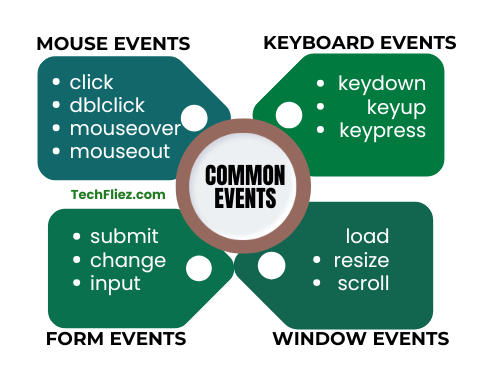
Mouse Events
- click
- dblclick
- mouseover
- mouseout
Keyboard Events
- keydown
- keyup
- keypress
Form Events
- submit
- change
- input
Window Events
- load
- resize
- scroll
Event Object
The callback function receives an event object.
Example:
button.addEventListener("click", function(event) {
  console.log(event.target);
});
The event object contains:
- Target
- Type
- preventDefault()
- stopPropagation()
❌ Removing Event Listener
To remove an event, you must use the same function reference.
function handleClick() {
  console.log("Clicked");
}
button.addEventListener("click", handleClick);
button.removeEventListener("click", handleClick);
Note: Anonymous functions cannot be removed.
Common Beginner Mistakes
❌ Calling the function immediately
button.addEventListener("click", handleClick()); // Wrong
✅ Correct way
button.addEventListener("click", handleClick);
Interview Questions
No questions found.
Conclusion
The addEventListener is an important DOM method. Developers can attach multiple events to elements and handle them efficiently. If you compare older event-handling methods like onclick, addEventListener offers greater flexibility and better control over how events are managed.
Understanding how to use addEventListener properly will help you create more interactive and dynamic web applications.