
Introduction
JavaScript plays a crucial role in creating a dynamic website.
JavaScript is one of the most popular programming languages in the world and is a core technology of web development alongside HTML and CSS. Whether you’re browsing social media, shopping online, or watching videos, JavaScript is working behind the scenes to enhance your experience.
What is JavaScript?
JavaScript is a high-level, interpreted programming language primarily used to create dynamic and interactive content on websites. It allows developers to implement complex features such as:
- Interactive forms
- Animations
- Real-time updates
- Dynamic content rendering
JavaScript was developed by Brendan Eich in 1995. JavaScript has evolved significantly and is now used not only in browsers but also on servers (using Node.js), mobile apps, and even game development.
Initially, JavaScript was used for web browsers to build attractive web pages.
After Node came, it is used for Web and mobile apps, real-time networking applications like real chat, etc.
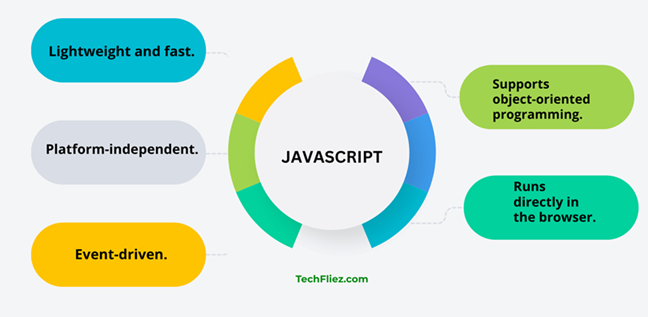
- Lightweight and fast.
- Platform-independent.
- Event-driven.
- Supports object-oriented programming.
- Runs directly in the browser.
Where does JavaScript run?
JavaScript code is written into the script tag.
Syntax:
<script>
// write code

</script>
Write the code into the script tag
<script>
document.write("Hello JavaScript");
</script>
Output:
2) You can run JavaScript in the browser console.
console.log("Hello JavaScript");
Output:
Add two numeric values
<script>
document.write(2+2);
</script>
Output:
Add two strings
<script>
document.write("Welcome" + " John");
</script>
Output:
Why is JavaScript Used?
1. Create Interactive Websites
JavaScript allows developers to respond to user actions like clicks, typing, scrolling, etc.
2. Client-Side Validation
It validates user input before sending data to the server, improving performance and user experience.
3. Dynamic Content Updates
Content can be updated without reloading the page (using AJAX or Fetch API).
4. Build Web Applications
Modern frameworks like React, Angular, and Vue are built using JavaScript.
5. Server-Side Development
With Node.js, JavaScript can also run on the server.
6. Cross-Platform Development
JavaScript is used for mobile apps (React Native) and desktop apps (Electron).
JavaScript Syntax
JavaScript syntax refers to the set of rules that define how JavaScript programs are written.
- Statements end with a semicolon (;) (optional but recommended)
- Variables are declared using var, let, or const.
- Case-sensitive language.
- Supports object-oriented programming.
- Uses curly braces {} for blocks.
Example:
let message = "Hello, World!";
console.log(message);
Output:
Example of JavaScript
Let’s look at a simple example that changes text when a button is clicked.
Use of HTML + JavaScript:
<!DOCTYPE html>
<html>
<head>
   <title>JavaScript Example</title>
</head>
<body>

<h2 id="text">Welcome!</h2>
<button onclick="changeText()">Click Me</button>

<script>
function changeText() {
   document.getElementById("text").innerHTML = "Hello, JavaScript!";
}
</script>

</body>
</html>
Explanation:
- A button is created
- When clicked, it calls the changeText() function
- The function updates the content of the <h2> element
Common Mistakes in JavaScript
Beginners should avoid these below error.
1. Using == Instead of ===
<script>
document.write("Hello JavaScript");
</script>
Note: Always prefer === for strict comparison.
2. Forgetting let or const
Always declare variables properly.
x = 10; // bad practice
3. Not Handling Errors
Please use try and catch for the code.
try {
   // risky code
} catch (error) {
   console.log(error);
}
Interview Questions
Q 1: What is JavaScript?
Q 2: Is JavaScript compiled or interpreted?
Q 3: Where is JavaScript used?
Q 4: Can JavaScript run without a browser?
Q 5: Who developed JavaScript?
Conclusion
JavaScript is an essential programming language for modern web development. It transforms static web pages into interactive and dynamic applications. From simple form validation to building complex web apps, JavaScript plays a vital role in enhancing user experience.
If you’re starting your journey in web development, learning JavaScript is a must. With consistent practice and understanding of core concepts, you can build powerful applications and open doors to numerous career opportunities.