
Introduction
The for…of loop makes your code cleaner, more readable, and less error-prone compared to traditional loops.
To simplify iteration, modern JavaScript (ES6) introduced the for…of loop. This loop is specifically designed to iterate over values of iterable objects such as arrays, strings, maps, sets, and more.
What is a for…of Loop?
The for…of loop is used to iterate over the values of iterable objects. Instead of accessing indexes or keys, it directly gives you the value.
- Use for…of for arrays and iterables.
- Avoid using for objects.
- Combine with destructuring.
Syntax of for…of Loop
for (let value of iterable) {
   // code
}
Basic Example
let arr = [10, 20, 30];

for (let value of arr) {
   console.log(value);
}
Output:
20
30
How for…of Loop Works
- Takes an iterable (array, string, etc.)
- Extracts one value at a time
- Assigns it to a variable
- Executes the block of code
- Continues until all values are processed
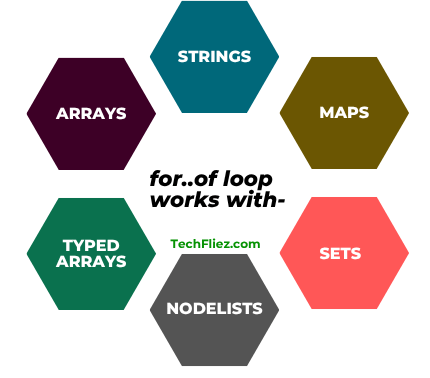
for…of loop works
for…of loop works with
- Arrays
- Strings
- Maps
- Sets
- NodeLists
- Typed arrays
Example: for…of Loop with String
let str = "Hello";

for (let char of str) {
   console.log(char);
}
Output:
e
l
l
o
Real-Life Examples
I will show you some Real-life examples
1. Loop Through Array
let fruits = ["apple", "banana", "mango"];

for (let fruit of fruits) {
   console.log(fruit);
}
Output:
banana
mango
2. Filtering Data
let nums = [1, 2, 3, 4, 5];

for (let num of nums) {
   if (num % 2 === 0) {
       console.log(num);
   }
}
Output:
4
3. Sum of Numbers
let nums = [1, 2, 3, 4];
let sum = 0;

for (let num of nums) {
   sum += num;
}
console.log(sum);
Output:
Difference between for…of vs for…in
| Feature | for…of | for…in |
|---|---|---|
| Iterates | Values | Keys (Properties) |
| Use Case | Arrays, Strings, Iterables | Objects |
| Syntax |
for (let value of array) {
|
for (let key in object) {
|
| Example |
let nums = [10,20];
|
let user = {name:"John"};
|
| Output | 10 20 | name |
Destructuring with for…of
let users = [
   { name: "John", age: 35 },
   { name: "Tom", age: 30 }
];

for (let { name, age } of users) {
   console.log(name, age);
}
Output:
Tom 30
Nested for…of Loop
let matrix = [
   [1, 2],
   [3, 4]
];

for (let row of matrix) {
   for (let val of row) {
       console.log(val);
   }
}
Output:
2
3
4
When to Use for…of Loop
You should use it when
- Working with arrays
- Iterating values directly
- Writing clean code
- Using modern JavaScript
When NOT to Use for…of Loop
You should avoid it when
- Working with objects
- Needing index values
- Performance-critical cases
JavaScript for of loop – Interview Questions
Q 1: What is for...of loop?
Q 2: Works on arrays?
Q 3: Can it iterate strings?
Q 4: Does it return index?
Q 5: Introduced in which version?
JavaScript for of loop – Objective Questions (MCQs)
Q1. for...of is mainly used to iterate over ______.
Q2. Which of the following supports for...of?
Q3. or...of returns ______.
Q4. Which data structure can be iterated using for...of?
Q5. for...of was introduced in ______.
Conclusion
The JavaScript for…of loop is a modern and efficient way to iterate over iterable data such as arrays, strings, maps, and sets. It simplifies code by removing the need for indexing and makes your programs more readable and maintainable.
By understanding when and how to use the for…of loop, you can write cleaner and more efficient JavaScript code.