
Introduction
A shallow copy duplicates only the top-level properties, while nested objects remain linked to the original object. In contrast, a Deep Copy creates a completely independent copy of the entire object structure, including all nested objects and arrays.
What is JavaScript Deep Copy?
A deep copy creates a completely independent duplicate of an object, including all nested structures.
A Deep Copy is a copy of an object or array where:
- All properties are copied.
- Nested objects are copied.
- Nested arrays are copied.
- No references are shared with the original object.
This means that modifying the copied object will never affect the original object.
Syntax
Modern JavaScript provides the structuredClone() method for deep copying.
let copy = structuredClone(originalObject);
Example 1: Basic Deep Copy
The original object remains unchanged.
let person = {
    name: "John",
    age: 35
};

let copiedPerson = structuredClone(person);

copiedPerson.name = "Tom";

console.log(person.name);
console.log(copiedPerson.name);
Output:
Tom
Example 2: Deep Copy with Nested Objects
The nested object is completely independent.
let employee = {
    name: "John",
    address: {
        city: "Delhi"
    }
};

let copiedEmployee = structuredClone(employee);

copiedEmployee.address.city = "Mumbai";

console.log(employee.address.city);
console.log(copiedEmployee.address.city);
Output:
Mumbai
Example 3: Deep Copy with Arrays
let numbers = [1, 2, 3];

let copiedNumbers = structuredClone(numbers);

copiedNumbers.push(4);

console.log(numbers);
console.log(copiedNumbers);
Output:
[1, 2, 3, 4]
Example 4: Deep Copy with Nested Arrays
The original array remains unaffected.
let data = [
    [1, 2],
    [3, 4]
];

let copiedData = structuredClone(data);

copiedData[0][0] = 100;

console.log(data);
console.log(copiedData);
Output:
[[100, 2], [3, 4]]
Methods to Create a Deep Copy
JavaScript offers multiple methods to create a Deep copy.
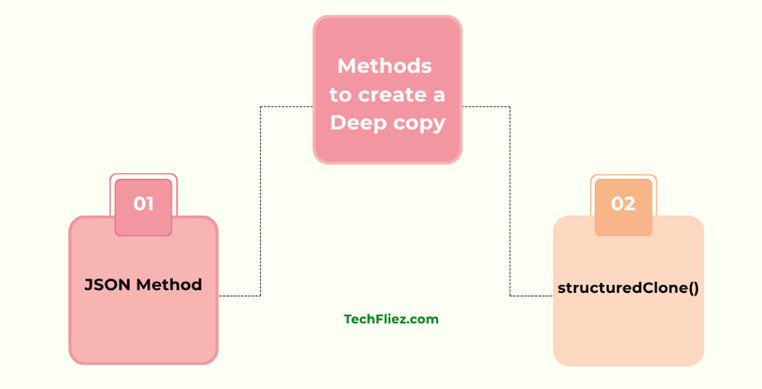
1. Using structuredClone()
It is a modern approach.
Syntax:
let copy = structuredClone(originalObject);
Example:
let obj = {
    name: "John",
    address: {
        city: "Delhi"
    }
};

let copy = structuredClone(obj);
2. Using JSON.parse() and JSON.stringify()
It is an older but widely used method.
Syntax:
let copy = JSON.parse(JSON.stringify(object));
Example:
let user = {
    name: "John",
    age: 35
};

let copy = JSON.parse(JSON.stringify(user));
Real-Life Example
Imagine you are building an e-commerce website.
Original product:
let product = {
    id: 101,
    name: "Laptop",
    specifications: {
        color: "Black",
        memory: "16GB"
    }
};
A user edits the product details.
let editedProduct = structuredClone(product);
editedProduct.specifications.color = "Silver";

console.log(product.specifications.color);
console.log(editedProduct.specifications.color);
Output:
Silver
Javascript Object Deep copy – Interview Questions
Q 1: What is a deep copy?
Q 2: How to create a deep copy?
Q 3: What is the limitation of the JSON method?
Q 4: Does deep copy share references?
Q 5: When is deep copy required?
Javascript Object Deep copy – Objective Questions (MCQs)
Q1. Deep copy duplicates ______.
Q2. Which method creates a deep copy (with limitations)?
Q3. Which modern method creates a true deep copy?
Q4. Deep copy prevents ______ between original and copied objects.
Q5. JSON-based deep copy does NOT support ______.
Conclusion
JavaScript Deep Copy is a powerful technique used to create completely independent copies of objects and arrays. Unlike shallow copies, deep copies duplicate all nested objects and arrays, ensuring that changes made to the copied version never affect the original data.
Modern JavaScript provides the structuredClone() method, which is the recommended solution for creating deep copies. While older approaches like JSON.parse(JSON.stringify()) are still common, they have several limitations and should be used carefully.