In this tutorial, you will learn about JavaScript ES6 Features.
JavaScript ES6, also known as ECMAScript 2015.
JavaScript ES6 features are powerful, making JavaScript more readable and easier to maintain.
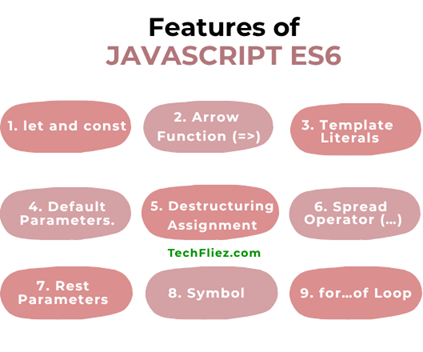
JavaScript ES6 has lots of features.
1. let and const
ES6 introduced the let and const keywords to declare variables.
let is a block-scoped variable and can be reassigned.
let age = 35;
age = 40; //allowed ✅
const is a block-scoped and cannot be reassigned.
const designation = "Manager";
designation = "Senior Manager"; ❌ Error
2. Arrow Function (=>)
Now a days, Arrow function is a more popular function instead of the traditional function. It uses fat arrow (=>). Arrow functions provide shorten syntax.
Note: 1. It does not use the function keyword.
2. It automatically binds this keyword.
Example:
// ES5
function add(a, b) {
return a + b;
}


// ES6
const add = (a, b) => a + b;
3. Template Literals
Template Literals are used for string interpolation using backticks.
const name = "John";
const msg = `Hello, ${name}! Welcome to TechFliez.`;
Note: Template Literals support multiline strings.
4. Default Parameters.
You can set a default value in function parameters.
function greet(name = "John") {
return `Hello, ${name}`;
}

greet(); // Hello, John
5. Destructuring Assignment
Destructuring is used to extract the value from the Array or Objects.
Array Destructuring
const arr = [1, 2, 3];
const [a, b, c] = arr;
console.log(a); // 1
console.log(b); // 2
console.log(c); // 3
Object Destructuring
const user = { name: "John", age: 35 };
const { name, age } = user;
console.log(name); // John
console.log(age); // 35
6. Spread Operator (…)
It is the most important feature of ES6. The spread operator is used to expand elements.
1. It is used to copy arrays.
2. It is used to merged array and Object
const x = [1, 2, 3];
const y = [...x, 4, 5];
console.log(y); //output: 1,2,3,4,5
7. Rest Parameters
Rest parameters are used to accept any number of arguments in function parameters and bundle them into an array.
Note: In simple words, Rest parameters collect multiple values into an array.
Syntax:
function myFunction(...args) {
  // args is an array
}
Example:
function sum(...numbers) {
  let total = 0;
  for (let num of numbers) {
    total += num;
  }
  return total;
}
console.log(sum(1, 2));        // 3
console.log(sum(1, 2, 3, 4));  // 10
8. Symbol
A Symbol is used to create unique identifiers.
Symbol is a Primitive Data Type.
Syntax: Create a Symbol
const sym1 = Symbol();
const sym2 = Symbol();

console.log(sym1 === sym2); // false
Note: Every symbol is unique
You can pass a value in Symbol.
const id = Symbol('id');
9. for…of Loop
for…of Loop is one of the most important ES6 features. It is used to iterate over iterable values like arrays, strings, maps, sets, etc.
Syntax:
for (variable of iterable) {
  // code to execute
}
Example: for Array
const numbers = [5, 10, 15, 20];

for (let num of numbers) {
  console.log(num);
}
Output:
510
15
20
Example for string
const name = "John";

for (let char of name) {
  console.log(char);
}
Output:
Jo
h
n
Advantages of ES6
There are many advantages of ES6
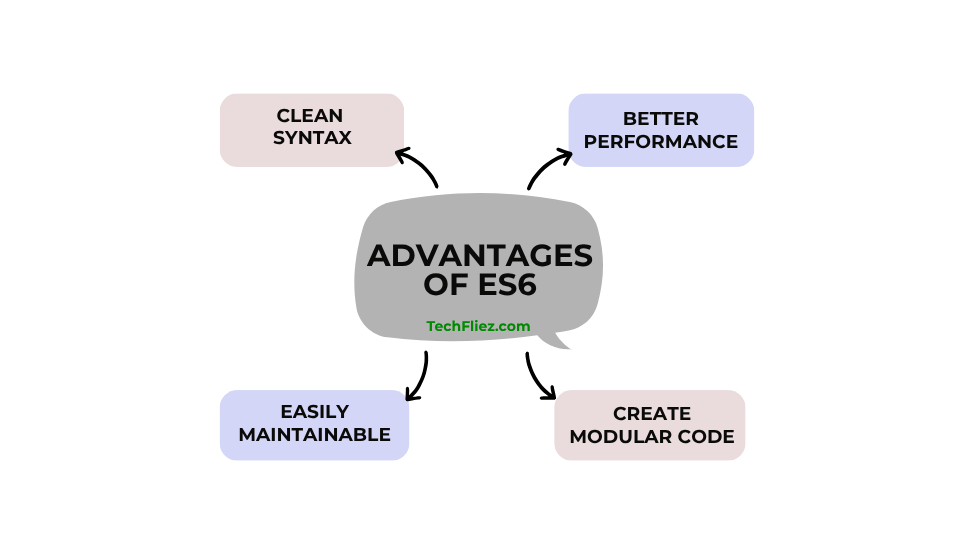
1. It is used to clean syntax.
2. It is used for Better performance.
3. Through ES6, you can create Modular code.
4. It is used for easy maintenance.