
Introduction
In this tutorial, you will learn the concept of Error Handling with try/catch in JavaScript.
JavaScript applications often interact with APIs, user inputs, and external data. These operations can sometimes fail and produce errors.
If errors are not handled properly, then your program may crash or stop execution. So we use try…catch to handle errors.
What is Error Handling in JavaScript?
Error handling is the process of handling runtime errors so that your program continues to run smoothly.
Example of a common JavaScript error:
let data = JSON.parse("Invalid JSON");
This will cause an error:
Note: Without error handling, the program can stop.
What is try…catch in JavaScript?
try…catch is used to handle JavaScript run time error.
Syntax:
try {
   // Code that may cause error
}
catch(error) {
   // Code to handle error
}
Example:
try {
   let result = 10 / 0;
   console.log(result);
}
catch(error) {
   console.log("An error occurred");
}
Note: If an error happens inside the try block, then JavaScript moves execution to the catch block.
Example with Real Error
try {
   let user = JSON.parse('{"name":"John"}');
   console.log(user.name);
}
catch(error) {
   console.log("Invalid JSON data");
}
Note: If JSON is invalid, the catch block handles the error.
try vs catch (Comparison)
| Feature | try Block | catch Block |
|---|---|---|
| Purpose | Test code that may cause error | Handle the error |
| Execution | Runs first | Runs if error occurs |
| Mandatory | Yes | Optional but recommended |
| Error Access | No | Receives error object |
What is finally Block?
The finally block always runs, whether an error occurs or not.
Syntax:
try {
   // risky code
}
catch(error) {
   // error handling
}
finally {
   // always executes
}
Example
try {
   console.log("Trying code");
}
catch(error) {
   console.log("Error occurred");
}
finally {
   console.log("Execution finished");
}
Output:
Execution finished
How to throw Custom Errors?
JavaScript allows developers to create custom errors using the throw keyword.
function checkAge(age) {

   try {
      if(age < 18) {
         throw "You must be 18+";
      }
      console.log("Access granted");
   } catch(error) {
      console.log(error);
   }
}
checkAge(15);
Output:
Nested try...catch Example
try {
   try {
      let data = JSON.parse("invalid json");
   }
   catch(error) {
      console.log("Inner error handled");
   }
}
catch(error) {
   console.log("Outer error handled");
}
Common JavaScript Errors
| Error Type | Description |
|---|---|
| ReferenceError | Using variable that is not defined |
| SyntaxError | Incorrect code syntax |
| TypeError | Invalid data type used in operation |
| RangeError | Number outside the allowed range |
| URIError | Incorrect URI encoding or decoding |
What are the best Practices for try...catch?
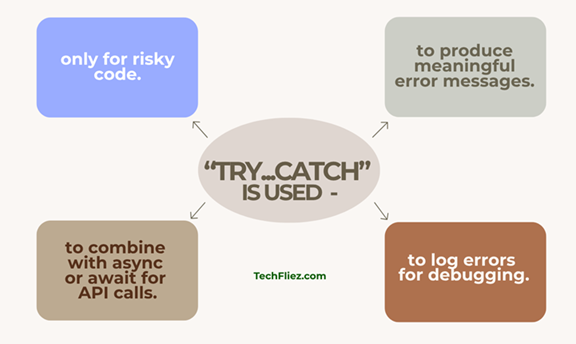
There are many practices.
- try...catch is used only for risky code.
- It is used to produce meaningful error messages.
- It is used to combine with async/await for API calls.
- It is used to log errors for debugging.
Example with Async/Await
async function getData() {

   try {
      let response = await fetch("https://api.example.com/data");
      let data = await response.json();
      console.log(data);
   }
   catch(error) {
      console.log("API Error:", error);
   }
}
Real-Life Example of try/catch in JavaScript
Example: Handling API Data Errors
When we fetch data from an API, sometimes we get invalid data, or the request may fail. Using try/catch helps prevent the entire application from crashing.
async function getUserData() {
  try {
    const response = await fetch("https://api.example.com/user");

    if (!response.ok) {
      throw new Error("Failed to fetch user data");
    }

    const data = await response.json();
    console.log("User Name:", data.name);
  } catch (error) {
    console.error("Something went wrong:", error.message);
  }
}

getUserData();
Explanation:
- The try block contains code that might produce an error.
- If the API request fails or returns an error, we manually throw an error.
- The catch block catches the error and displays a message instead of breaking the application.
Interview Questions
Q 1: What is the purpose of try/catch in JavaScript?
Q 2: Can try/catch handle asynchronous errors?
Q 3: What is the role of the throw keyword?
Q 4: What happens if an error occurs inside the try block?
Q 5: Can we use try without catch?
Conclusion
Error handling is an essential part of any application. The try/catch statement allows developers to handle runtime errors instead of letting the application crash. It is useful when you are working with API requests, JSON parsing, and async/await operations. By using try/catch properly, you can provide better error messages, improve debugging, and create more stable web applications.