
Introduction
In this article, you will learn the concept of the DOM. DOM is the Document Object Model.
Do you have an idea how it works?
When you open a website and click a button, change text, submit a form, etc. It works through the DOM.
Note: Without DOM, JavaScript cannot interact with HTML.
What is DOM?
DOM works as a bridge between JavaScript and HTML.
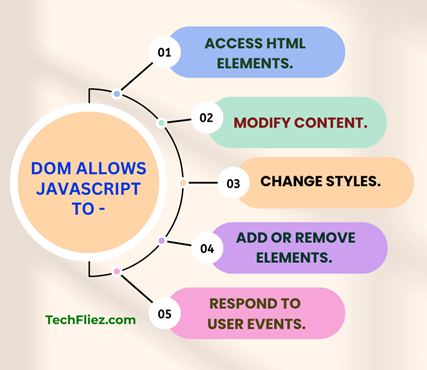
- It allows JavaScript to access HTML elements.
- It allows JavaScript to modify content.
- It allows JavaScript to change styles.
- It allows JavaScript to add or remove elements.
- It allows JavaScript to respond to user events.
How does the DOM look?
When a browser loads HTML, it converts it into a tree structure.
Example:
<!DOCTYPE html>
<html>
  <head>
    <title>My Page</title>
  </head>
  <body>
    <h1>Hello World</h1>
    <p>This is a paragraph</p>
  </body>
</html>
DOM Tree Structure
Document
 └── html
      ├── head
      │    └── title
      └── body
           ├── h1
           └── p
Note: Each element becomes a node in the DOM tree.
Why is the DOM important?
There are many reasons to show that the DOM is important for a website.
Without DOM:
- JavaScript cannot change webpage content
- Without DOM, you can not create dynamic websites
- Without DOM, you can not create form validation
- Without DOM, you can not create an interactive UI.
With DOM:
- Dom is used for dynamic content.
- DOM is used for Real-time updates.
- DOM is used to create Interactive applications.
- SPA (Single Page Application), like React and Angular, relies heavily on DOM manipulation.
How JavaScript Accesses the DOM?
You can access it through JavaScript methods, but I will show only some of them.
document.getElementById("title");
querySelector()
document.querySelector(".myClass");
How to change text through the DOM?
When the button is clicked, the DOM updates the text.
HTML:
<h1 id="heading">Hello</h1>
<button onclick="changeText()">Click Me</button>
JavaScript:
function changeText() {
  document.getElementById("heading").innerHTML = "Welcome to JavaScript DOM!";
}
DOM vs HTML (Important Difference)
| HTML | DOM |
|---|---|
| Static file | Live structure in browser |
| Written by developer | Created by browser |
| Cannot change itself | Can be changed by JavaScript |
Common Beginner Mistakes
Beginners make some common mistakes
- They try to access the DOM before the page loads.
- They try to use the wrong selector.
- Confusing innerHTML and textContent.
- Not understanding event bubbling
Common DOM Methods
You will see some common DOM methods like
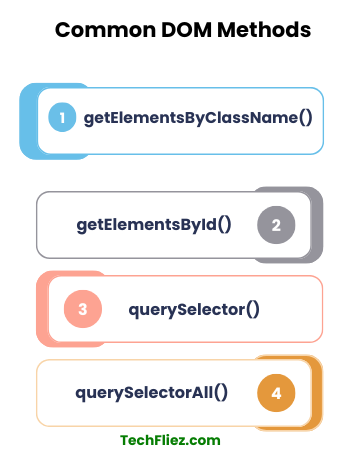
1. getElementById(): It is used to select an element by ID.
Example:
document.getElementById("demo1");
2. getElementsByClassName(): It is used to select an element by class.
Example:
document.getElementsByClassName("demo2");
3. querySelector(): It is used to select the first matching element.
Example:
document.querySelector(".box");
4. querySelectorAll(): It is used to select all matching elements.
Example:
document.querySelectorAll("p");
Real-World DOM Example
In this example, I will show you Form Validation.
HTML :
<input type="text" id="name">
<button onclick="checkUserName()">Submit</button>
<p id="message"></p>
JavaScript:
function checkUserName() {
  let name = document.getElementById("name").value;

  if(name === "") {
    document.getElementById("message").innerHTML = "User Name is required!";
  }
}
In the above example, you see, how DOM accesses the input value.
Interview Questions
Q 1: What is DOM in JavaScript?
Q 2: What is DOM manipulation?
Q 3: What is the DOM tree?
Conclusion
The DOM is one of the most important concepts in JavaScript. It allows developers to create dynamic and interactive websites by accessing and modifying HTML elements.
DOM manipulation is important for learning modern frameworks like React, Angular, and Vue.