
Introduction
In this article, you will learn the concept of Event Bubbling & Capturing.
If you don’t understand Event Bubbling and Capturing, you’ll eventually face unexpected bugs in JavaScript.
What is Event Propagation?
Event propagation defines how events travel in the DOM tree.
When an event occurs, it doesn’t just happen on one element. It moves through the DOM in three phases:
- Capturing Phase
- Target Phase
- Bubbling Phase
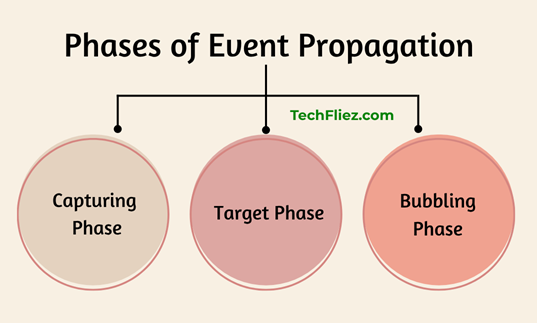
1. Capturing Phase
The event starts from the root (document) and travels down to the target element.
document → html → body → parent → child
2. Target Phase
The event reaches the actual element that was clicked.
3. Bubbling Phase (Default Behavior)
The event bubbles back up from the target to the root.
child → parent → body → html → document
Note: By default, JavaScript uses the bubbling phase.
Example of Event Bubbling
HTML:
<div id="parent">
  <button id="child">Click Me</button>
</div>
JavaScript:
document.getElementById("parent").addEventListener("click", function() {
  console.log("Parent clicked");
});
document.getElementById("child").addEventListener("click", function() {
  console.log("Child clicked");
});
Output:
Parent clicked
Example of Event Capturing
To enable capturing, pass true as the third parameter.
document.getElementById("parent").addEventListener("click", function() {
  console.log("Parent clicked");
}, true);
Output:
Child clicked
Note: the event is captured before reaching the target.
Bubbling vs Capturing
| Feature | Event Bubbling | Event Capturing |
|---|---|---|
| Direction | Child → Parent | Parent → Child |
| Default Behavior | Yes | No |
| addEventListener Third Parameter | false (default) | true |
| Use Case | Event Delegation | Special Control Cases |
How to Stop Event Bubbling
You can stop event bubbling through below method.
Syntax:
event.stopPropagation();
Example:
document.getElementById("child").addEventListener("click", function(event) {
  event.stopPropagation();
  console.log("Child clicked only");
});
Note: Now the parent event will NOT fire.
Real-World Use Case: Event Delegation
Event bubbling makes event delegation, you can check below example
document.getElementById("list").addEventListener("click", function(e) {
  if (e.target.tagName === "LI") {
    console.log("List item clicked");
  }
});
Note: This improves performance in large applications.
When Should You Use Capturing?
Capturing is rarely used. You can use
1. You want parent logic before child logic.
2. Handling complex UI interactions
❌ Confusing stopPropagation and preventDefault
stopPropagation() → It is used to stop bubbling.
preventDefault() → It stops default browser behavior.
Interview Questions
Q 1: What is Event Bubbling in JavaScript?
Q 2: What is Event Capturing in JavaScript?
Q 3: What is the difference between Event Bubbling and Event Capturing?
Q 4: How can you stop event bubbling in JavaScript?
Q 5: What is the default event flow in JavaScript?
Q 6: How do you enable event capturing in addEventListener?
Conclusion
Event Bubbling and Event Capturing is very important when you are working with JavaScript events and the DOM. These mechanisms define how events travel through the DOM structure when a user interacts with elements on a webpage.
Event Bubbling allows events to propagate from the target element to its parent elements and it handle events using techniques like event delegation.
Event Capturing processes the event from the top of the DOM tree down to the target element.