
Introduction
In this tutorial, you will learn the concepts of Synchronous and Asynchronous.
When you work on modern frameworks like Angular, ReactJS, Nodejs then, you hear about Synchronous and Asynchronous.
What is Synchronous?
Synchronous means tasks will be executed one after another.
Note: After one task is complete, start the next task and so on, using the same process.
Example:
console.log("Start");
console.log("Processing...");
console.log("End");
Output:
Processing…
End
Real-Life Example:
In a railway ticket counter queue, only one person is served at a time while the next must wait.
What is Asynchronous?
Asynchronous programming allows tasks to run without blocking the next task.
Note: The program doesn’t wait for long tasks to finish.
Example with setTimeout:
console.log("Start");
setTimeout(() => {
  console.log("Processing...");
}, 2000);
console.log("End");
Output:
End
Processing…
Explanations:
setTimeout runs in the background, and the program continues executing.
Why is Asynchronous Programming Important?
Asynchronous Programming is most important in real-world applications.
- API calls take time
- Database queries take time
- File uploads take time
- Payment processing takes time
Note: If you use a synchronous approach, the app will freeze.
Synchronous vs Asynchronous
| Feature | Synchronous | Asynchronous |
|---|---|---|
| Execution | One after another | Runs independently |
| Blocking | Blocks next task | Does not block |
| Performance | Slower for heavy tasks | Faster & efficient |
| Best For | Simple operations | API calls, file handling |
| Complexity | Easy to understand | Slightly complex |
JavaScript Asynchronous Methods
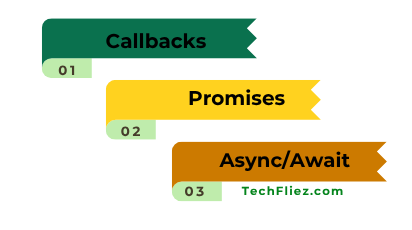
In JavaScript, we have 3 methods to handle asynchronous programming.
- Callbacks
- Promises
- Async/Await
Example using Promise:
function fetchData() {
  return new Promise((resolve) => {
    setTimeout(() => {
      resolve("Data Received");
    }, 2000);
  });
}
fetchData().then(data => console.log(data));
Example using Async/Await:
async function getData() {
  let data = await fetchData();
  console.log(data);
}
getData();
When Should You Use Synchronous?
You can use synchronous
- When you need simple calculations.
- When you need no external dependency.
- When the order of execution is critical.
When Should You Use asynchronous?
You can use asynchronous
- When you use API calls
- When you use Database operations.
- When you use File uploads/downloads.
- When you use Real-time applications.
- When you use Large data processing.
Real Life Example of a restaurant ordering system
You will see Synchronous vs Asynchronous behavior in a restaurant ordering system.
1. Synchronous Example (One by One Kitchen Order Service)
Suppose you are in a restaurant, where the waiter takes one order at a time and waits for the kitchen to finish preparing that order before taking the next customer’s order.
There are some steps for Synchronous:
- Customer 1 places an order.
- The waiter waits until the food is prepared.
- Only after serving Customer 1, the waiter takes Customer 2’s order.
Example:
console.log("Order received");
console.log("Preparing food...");
console.log("Food served");
Output:
Preparing food…
Food served
2. Asynchronous Example (Modern Restaurant)
Now, suppose a modern restaurant where the waiter:
- Takes orders from multiple customers quickly.
- Sends all orders to the kitchen.
- The kitchen prepares them in the background.
- Food is served whenever it is ready.
Here, the waiter does not wait for one order to finish before taking another. This is similar to asynchronous programming, where tasks can run in the background without blocking the system.
Example:
console.log("Order received");

setTimeout(() => {
  console.log("Food served");
}, 2000);

console.log("Taking next order");
Output:
Taking next order
Food served
Interview Questions
Q 1: What is synchronous programming in JavaScript?
Q 2: What is asynchronous programming in JavaScript?
Q 3: What are some examples of asynchronous operations in JavaScript?
Q 4: What are the main techniques used for asynchronous programming in JavaScript?
Q 5: Why is asynchronous programming important in web development?
Q 6: What is the main difference between synchronous and asynchronous execution?
Conclusion
Synchronous vs Asynchronous programming is very important in modern JavaScript development.
When you run tasks in a Synchronous manner, they run sequentially, which makes the code easier to understand but can cause the program to block or slow down if a task takes too long.
When you run tasks in an Asynchronous manner, then tasks run without blocking the next task. This helps create faster and more responsive web applications.