
In this tutorial, you will learn the concept of Set vs Array in JavaScript.
Introduction
In JavaScript, an Array is used to store multiple values. While Set is introduced in ES6, it is also used to store multiple values, but the values should be unique.
Both Set and Array are used to store collections of data, but they behave differently in terms of duplicates, indexing, and performance.
What is an Array in JavaScript?
An Array is a collection of values, and it is stored in a single variable.
Example:
const numbers = [10, 20, 30, 40];
console.log(numbers[0]); // 10
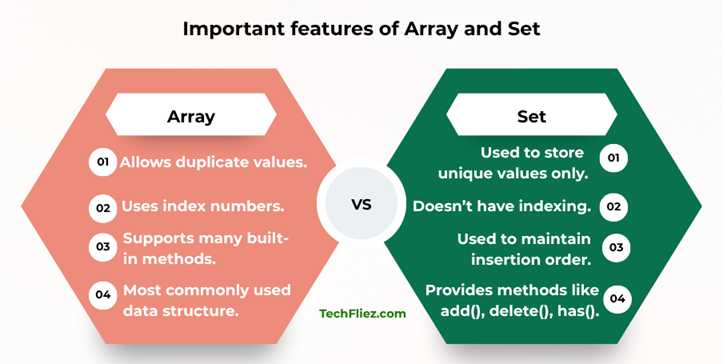
Important Features of Arrays
There are many important features of Arrays.
1. It allows duplicate values.
2. It uses index numbers.
3. It supports many built-in methods.
4. It most commonly used data structure.
Example with duplicates:
const numbers = [10, 20, 20, 30];
console.log(numbers);
Output:
What is a Set in JavaScript?
In JavaScript, A Set is a collection of unique values.
If you have duplicate values in the collection, then they will be automatically removed.
Example:
const numbers = new Set([10, 20, 20, 30]);
console.log(numbers);
Output:
Important Features of Set
There are many important features of Set.
1. It is used to store unique values only.
2. It does not have indexing.
3. It is used to maintain insertion order.
4. It provides methods like add(), delete(), has().
Example:
const set = new Set();
set.add(10);
set.add(20);
set.add(30);
console.log(set);
Set vs Array in JavaScript
| Feature | Set | Array |
|---|---|---|
| Duplicate Values | Not allowed | Allowed |
| Indexing | No index | Uses index numbers |
| Order | Maintains insertion order | Maintains insertion order |
| Access Elements | Using iteration | Using index |
| Performance | Better for removing duplicates | Better for ordered data |
| Common Methods | add(), delete(), has() | push(), pop(), map(), filter() |
How to remove Duplicates from an array?
You can use the set to remove duplicates from an array.
Example:
const numbers = [1,2,3,3,4,4];
const unique = [...new Set(numbers)];
console.log(unique);
Output:
Note: This is a very popular JavaScript interview trick.
When to Use Set?
There are many reasons to use Set.
1. If you want unique values.
2. If you want to remove duplicates.
3. If you want fast value checking.
4. If you want to work with large datasets.
Example:
const ids = new Set();
ids.add(1110);
ids.add(1111);
When to use an array?
There are many reasons to use Array.
1. When the order of elements matters.
2. If you need index access.
3. If you need methods like map(), filter(), reduce().
Example:
const users = ["John", "Tom", "Mark"];
Real-Life Example of Set and Array
Suppose you are creating a student registration system for an online course.
1. Store Student ID through an Array
If you store student IDs in an Array, duplicate entries can easily occur.
let students = [101, 102, 103];
students.push(102); // duplicate entry
console.log(students);
Output:
Note: This can create problems because the same student is registered twice.
2. Store Student ID through Set
A Set automatically removes duplicate values.
let students = new Set([101, 102, 103]);

students.add(102); // duplicate ignored
console.log(students);
Output:
Beginners make common mistakes
Beginners make some common mistakes.
1. Expecting Set to Allow Duplicate Values
Many beginners assume a Set works like an Array, but it does not allow duplicates.
❌ Incorrect:
let numbers = new Set([1,2,2,3]);
console.log(numbers);
Output:
Note: The duplicate value 2 is automatically removed.
2. Trying to Access Set Elements by Index
Sets do not support indexing, while Arrays support indexing.
❌ Incorrect:
let items = new Set(["apple", "banana"]);
console.log(items[0]);
Output:
✔ Correct approach:
for (let item of items) {
    console.log(item);
}
3. Using Array Methods Directly on a Set
Some developers try to use methods like map() or filter() directly on a Set.
❌ Incorrect:
let numbers = new Set([1,2,3]);
numbers.map(x => x * 2);
✔ Correct:
Convert the Set into an Array first.
let numbers = new Set([1,2,3]);
let result = [...numbers].map(x => x * 2);
console.log(result);
Interview Questions
Q 1: What is the difference between Set and Array in JavaScript?
A Set is a collection of unique values where duplicates are not allowed and elements cannot be accessed using indexes.
Q 2: Can a Set contain duplicate values?
Q 3: How do you convert a Set to an Array?
let setData = new Set([1,2,3]);
let arrayData = [...setData];
Q 4: How do you remove duplicates from an Array using Set?
let numbers = [1,2,2,3,4,4];
let uniqueNumbers = [...new Set(numbers)];
console.log(uniqueNumbers); //Output: [1,2,3,4]
Q 5: Which is faster for checking if a value exists: Set or Array?
Conclusion
Both Set and Array are useful data structures in JavaScript, but they serve different purposes.
Arrays are used when you need an ordered list of elements, indexing, and the ability to store duplicate values. They are widely used for storing lists such as products, users, or posts.
Sets, on the other hand, are designed to store unique values only. They are useful when you need to remove duplicates, ensure data uniqueness, or quickly check if a value exists.