
In C++, an array is a collection of elements of the same data type, stored in contiguous memory locations. The size of the array is fixed once it’s declared.
Array is a collection of similar data.
Array is a stored a large amount of data in a single unit.
Array indexing start from 0 to n-1.
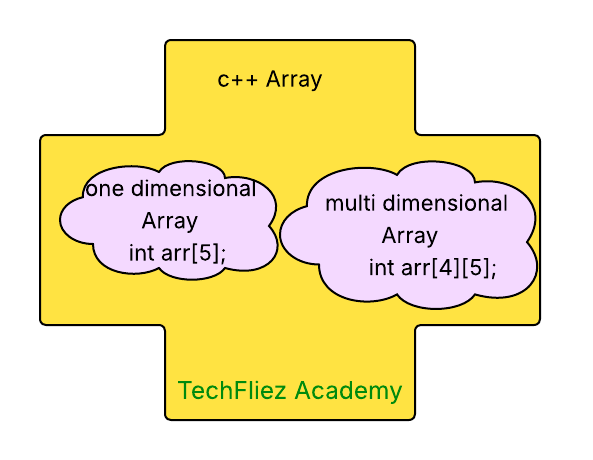
Syntax:
type arrayName[arraySize];
- type: The data type of the array elements (e.g., int, float, char).
- arrayName: The name you want to give to the array.
- arraySize: The number of elements the array can hold (a constant or fixed number).
Array Declaration and Initialization
Declaring and initialize integer array.
int arr[4]; // Array of 4 integers
arr[0] = 1; // Assign 1 to the first element
arr[1] = 2; // Assign 2 to the second element
arr[2] = 3; // Assign 3 to the third element
arr[3] = 4; // Assign 4 to the fourth element
Declaring and Initialize integer array with values.
int arr[4] = {1,2,3,4}; // Array of 4 integers
Declaring and Initialize Float array with values.
float arr[4] = {1.1, 2.2, 3.3, 4.4}; // Array of 4 floats
Declaring and initializing a character array
float arr[4] = {'a', 'b', 'c', 'd', '\0'}; // Array of characters (null-terminated string)
Accessing Array Elements
Array elements are accessed using an index, where the index starts from 0.
Example 1: access integer values
#include <iostream>
using namespace std;

int main() {
   int arr[4] = {1,2,3,4}; // Array of 4 integers
    cout << arr[0] << "\n";  // Outputs 1
    cout << arr[1] << "\n";  // Outputs 2
    cout << arr[2] << "\n";  // Outputs 3
    cout << arr[3] << "\n";  // Outputs 4
    return 0;
}
Output:
2
3
4
Example 2: access string values
#include <iostream>
#include <string> // For using the string type
using namespace std;

int main() {
   string empNames[4] = {"John","Tom","Mark","Smith"}; // Array of 4 names
    cout << empNames[0] << "\n";  // Outputs John
    cout << empNames[1] << "\n";  // Outputs Tom
    cout << empNames[2] << "\n";  // Outputs Mark
    cout << empNames[3] << "\n";  // Outputs Smith
    return 0;
}
Output:
Tom
Mark
Smith
Update the Array Element values
You can update array elements value through index.
Example 1: Suppose, You want to change value from 3 to 30
#include <iostream>
using namespace std;

int main() {
   int arr[4] = {1,2,3,4}; // Array of 4 integers
    arr[2] = 30;
    cout << arr[0] << "\n";  // Outputs 1
    cout << arr[1] << "\n";  // Outputs 2
    cout << arr[2] << "\n";  // Outputs 30
    cout << arr[3] << "\n";  // Outputs 4
    return 0;
}
Explanation:
- Firstly check 3 value is on which index.
- found 3 value is on 2nd index.
- after that, change value from 3 to 30 through arr[2] = 30
Example 2: update the string value from Tom to Rom
#include <iostream>
#include <string> // For using the string type
using namespace std;

int main() {
   string empNames[4] = {"John","Tom","Mark","Smith"}; // Array of 4 names
    empNames[1] = "Rom";
    cout << empNames[0] << "\n";  // Outputs John
    cout << empNames[1] << "\n";  // Outputs Tom
    cout << empNames[2] << "\n";  // Outputs Mark
    cout << empNames[3] << "\n";  // Outputs Smith
    return 0;
}
Explanation:
- Firstly check Tom value is on which index.
- found Tom value is on first index.
- after that, change value from Tom to Rom through empNames[1] = Rom
C++ Array – Interview Questions
Q 1: What is an array in C++?
Q 2: How do you declare an array in C++?
Q 3: How are array elements accessed?
Q 4: Can array size be changed after declaration?
Q 5: What is the default value of array elements?
C++ Array – Objective Questions (MCQs)
Q1. How is an array declared correctly in C++?
Q2. What is the index of the first element in a C++ array?
Q3. Which of the following statements correctly initializes an array?
Q4. What is the output of this code?
int arr[] = {10, 20, 30};
cout << arr[1];
Q5. What happens if you access an out-of-bound array index?