
Tuples in Python are immutable, meaning you can’t directly modify, add, or remove elements from them after they’re created. However, there are workarounds to effectively “update” a tuple if needed. Here’s how you can do it:
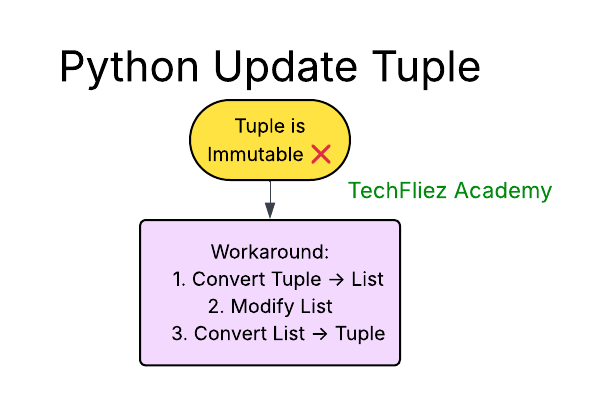
Convert the Tuple to a List, Modify It, and Convert Back
You can convert the tuple to a list, make changes, and then convert it back to a tuple.
my_tuple = (1, 2, 3)

# Convert to list
temp_list = list(my_tuple)

# Modify the list
temp_list[0] = 10  # Changing the first element to 10
temp_list.append(4)  # Adding a new element

# Convert back to tuple
my_tuple = tuple(temp_list)

print(my_tuple)  # Output: (10, 2, 3, 4)
Concatenate Tuples to “Add” Elements
You can create a new tuple by concatenating the existing tuple with another one containing the new elements.
my_tuple = (1, 2, 3, 4, 5)
my_tuple = my_tuple + (6, 7)
print(my_tuple)  # Output: (1, 2, 3, 4, 5, 6, 7)
Reassign the Tuple with Modified Elements
You can create a new tuple by reassigning elements around the ones you want to change.
my_tuple = (1, 2, 3)
my_tuple = (10,) + my_tuple[1:]  # Change the first element
print(my_tuple)  # Output: (10, 2, 3)
Using Slicing for Partial Reassignment
Slicing can be used to replace parts of a tuple.
my_tuple = (1, 2, 3, 4)
my_tuple = my_tuple[:1] + (10, 20) + my_tuple[2:]
print(my_tuple)  # Output: (1, 10, 20, 3, 4)
Using Nested Tuples for Logical Changes
If you frequently need to “update” certain parts of a tuple, consider using nested tuples where only a part of the structure may need changing.
my_tuple = ((1, 2), (3, 4))
my_tuple = (my_tuple[0], (5, 6))  # Changing the second tuple
print(my_tuple)  # Output: ((1, 2), (5, 6))
Python Update Tuple – Interview Questions
Q 1: Can a tuple be updated?
Q 2: How can you “update” a tuple?
Q 3: Can you add elements to a tuple?
Q 4: Can you remove elements from a tuple?
Q 5: Why are tuples immutable?
Python Update Tuple – Objective Questions (MCQs)
Q1. Can tuples be directly updated in Python?
Q2. What will happen when this code runs?
t = (1, 2, 3)
t[0] = 10
Q3. How can you “update” a tuple in Python?
Q4. What will be the output of the following code?
t = (10, 20, 30)
t = t + (40, 50)
print(t)
Q5. Which of the following is the correct way to delete an entire tuple?