
In Python, you can remove items from a dictionary using various methods depending on the situation. Here’s a rundown of the most commonly used methods for removing items:
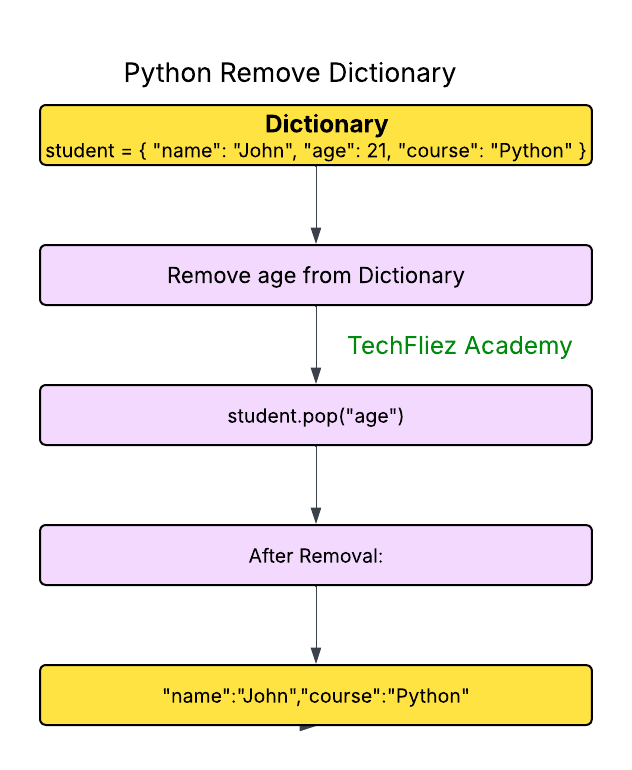
Using pop()
The pop() method removes the specified key and returns its corresponding value.
Raises a keyError if the key doesn’t exist unless a default value is provided.
my_dict = {"name": "John", "age": 35, "city": "London"}

# Remove and return value of "age"
age = my_dict.pop("age")
print(age)          # Output: 35
print(my_dict)      # Output: {'name': 'John', 'city': 'London'}

# Using a default value if the key is not found
profession = my_dict.pop("profession", "Not Found")
print(profession)   # Output: Not Found
Using popitem()
The popitem() method removes and returns the last inserted key-value pair as a tuple.
This method raises a keyError if the dictionary is empty.
my_dict = {"name": "John", "age": 35}

# Remove the last inserted item
last_item = my_dict.popitem()
print(last_item)    # Output: ('age', 35)
print(my_dict)      # Output: {'name': 'John'}
Using del Statement
The del statement can remove a specific key or delete the entire dictionary.
Raises a keyError if the key doesn’t exist.
my_dict = {"name": "John", "age": 35, "city": "London"}

# Remove a specific key
del my_dict["city"]
print(my_dict)  # Output: {'name': 'John', 'age': 35}

# Delete the entire dictionary
del my_dict
# print(my_dict)  # Raises NameError because my_dict no longer exists
Using clear()
The clear() method removes all items from the dictionary, resulting in an empty dictionary.
my_dict = {"name": "John", "age": 35}
my_dict.clear()
print(my_dict)  # Output: {}
Removing Nested Dictionary Items
If you have nested dictionaries, you can remove items by specifying nested keys.
my_dict = {
    "name": "John",
    "details": {
        "age": 35,
        "city": "London"
    }
}

# Remove a key from the nested dictionary
del my_dict["details"]["city"]
print(my_dict)  # Output: {'name': 'John', 'details': {'age': 35}}
Python Remove Dictionary Item – Interview Questions
Q 1: How do you remove a specific item from a dictionary?
Q 2: How do you remove the last inserted item?
Q 3: Can del be used to remove dictionary items?
Q 4: How do you clear all items in a dictionary?
Q 5: Does removing a key return its value?
Python Remove Dictionary Item – Objective Questions (MCQs)
Q1. Which method removes a specific key and returns its value?
Q2. What will be the output of the following code?
d = {'a': 10, 'b': 20, 'c': 30}
d.pop('b')
print(d)
Q3. Which method removes and returns the last inserted key-value pair?
Q4. What does the clear() method do in a dictionary?
Q5. What is the correct way to delete an entire dictionary named d?