
In Python, there are several ways to access values stored in a dictionary. Here’s a quick overview of the main methods:
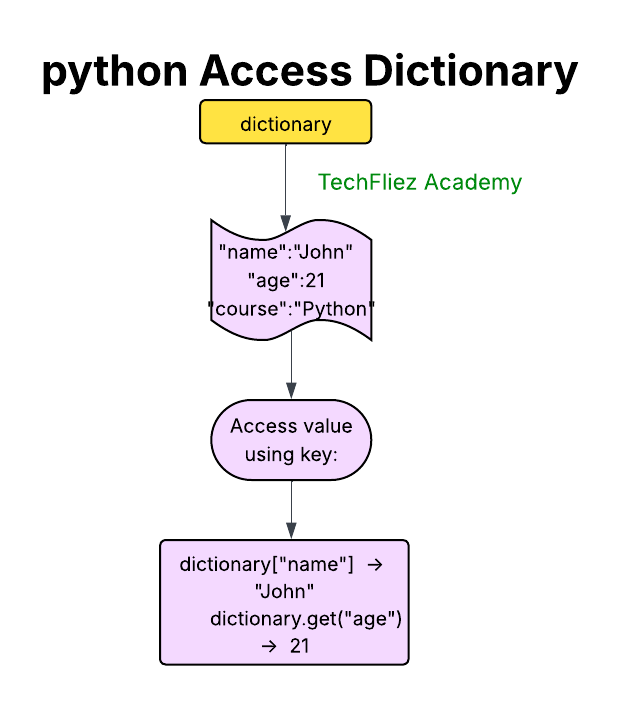
Using Bracket Notation [ ]
You can access dictionary values directly by referencing their keys within square brackets.
Note: This method will raise a keyError if the key does not exist.
my_dict = {"name": "John", "age": 35, "city": "London"}
print(my_dict["name"])  # Output: John
Using the get() Method
The get() method allows safe access to values. If the key doesn’t exist, it returns None or a default value you specify.
This is a safer option if you’re unsure whether a key exists in the dictionary.
my_dict = {"name": "John", "age": 35}

# Access existing key
print(my_dict.get("age"))        # Output: 35

# Access non-existent key with default value
print(my_dict.get("salary", 0))  # Output: 0
Accessing All Keys, Values, and Key-Value Pairs
Keys: Use keys() to get all keys in the dictionary.
Values: Use values() to get all values in the dictionary.
Key-Value Pairs: Use items() to get all key-value pairs as tuples.
my_dict = {"name": "John", "age": 35, "city": "London"}

# Get all keys
print(my_dict.keys())    # Output: dict_keys(['name', 'age', 'city'])

# Get all values
print(my_dict.values())  # Output: dict_values(['John', 35, 'London'])

# Get all key-value pairs
print(my_dict.items())   # Output: dict_items([('name', 'John'), ('age', 35), ('city', 'London')])
Looping Through Dictionary Values
You can loop over a dictionary to access each key and value.
my_dict = {"name": "John", "age": 35, "city": "London"}

# Loop through keys
for key in my_dict:
    print(key, my_dict[key])

# Loop through values only
for value in my_dict.values():
    print(value)

# Loop through key-value pairs
for key, value in my_dict.items():
    print(f"{key}: {value}")
Using Default Dictionary with collections.defaultdict
defaultdict from the collections module automatically assigns a default value if a key doesn’t exist, so you don’t have to check manually.
from collections import defaultdict

my_dict = defaultdict(lambda: "Not Found")
my_dict["name"] = "John"

print(my_dict["name"])   # Output: John
print(my_dict["age"])    # Output: Not Found (default value)
Python Tutorial – Interview Questions
Q 1: How do you access a value in a dictionary?
Q 2: What happens if a key doesn’t exist?
Q 3: Can dictionary keys be integers?
Q 4: Can a dictionary store mixed data types?
Q 5: How can you loop through a dictionary?
Python Access Dictionary – Objective Questions (MCQs)
Q1. How do you access the value of key 'name' in the dictionary d = {'name': 'Alice', 'age': 25}?
Q2. What will be the output of the following code?
d = {'x': 10, 'y': 20}
print(d['y'])
Q3. What happens if you try to access a key that does not exist using d['key']?
Q4. Which method can safely access a key without raising an error if it doesn’t exist?
Q5. What is the output of the following code?
info = {'name': 'John', 'age': 30}
print(info.get('city', 'Not Found'))