
In Python, you can update items in a dictionary by adding new key-value pairs, modifying existing ones, or merging another dictionary.
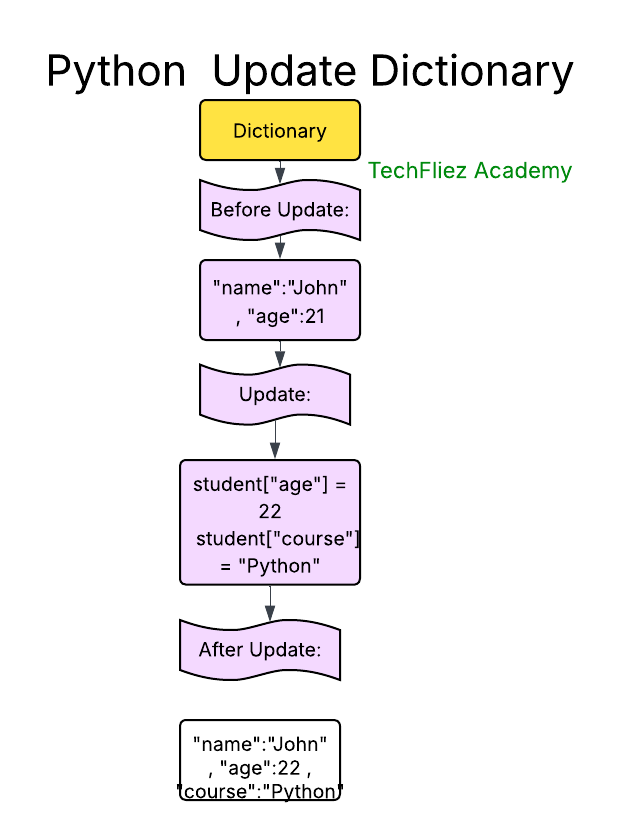
Updating an Existing Key-Value Pair
Assign a new value to an existing key using the = operator.
my_dict = {"name": "John", "age": 35, "city": "London"}
my_dict["age"] = 40  # Updating the age
print(my_dict)  # Output: {"name": "John", "age": 35, "city": "London"}
Adding a New Key-Value Pair
Assign a value to a new key that doesn’t yet exist in the dictionary.
my_dict["country"] = "England"
print(my_dict)  # Output: {"name": "John", "age": 35, "city": "London", 'country': 'England'}
Using the update() Method
The update() method merges another dictionary or iterable of key-value pairs into the original dictionary.
If a key exists, update() replaces its value; if it doesn’t, update() adds it.
my_dict = {"name": "John", "age": 35, "city": "London", "country": "England"}
# Merging another dictionary
my_dict.update({"age": 40, "profession": "Engineer"})
print(my_dict)  # Output: {"name": "John", "age": 40, "city": "London", "country": "England", 'profession': 'Engineer'}

# Using an iterable of key-value pairs (list of tuples)
my_dict.update([("hobby", "painting"), ("city", "Manchester")])
print(my_dict)  # Output: {"name": "John", "age": 40, "city": "Manchester", 'country': 'England', 'profession': 'Engineer', 'hobby': 'painting'}
Updating Nested Dictionaries
If your dictionary contains other dictionaries as values, you can update nested dictionaries by accessing the specific keys.
my_dict = {
    "name": "John",
    "details": {
        "age": 35,
        "city": "London"
    }
}

# Update a nested dictionary
my_dict["details"]["age"] = 40
my_dict["details"]["profession"] = "Engineer"
print(my_dict)  # Output: {'name': 'John', 'details': {'age': 35, 'city': 'London', 'profession': 'Engineer'}}
Using setdefault() for Conditional Updates
The setdefault() method updates the dictionary only if the key doesn’t exist. If the key is already present, it leaves it unchanged.
my_dict = {"name": "John", "age": 35}
my_dict.setdefault("age", 40)    # Won't update because "age" already exists
my_dict.setdefault("city", "London")  # Adds "city" because it's not in the dictionary
print(my_dict)  # Output: {'name': 'John', 'age': 40, 'city': 'London'}
Python Update Dictionary – Interview Questions
Q 1: How do you update a dictionary value?
Q 2: Can you add a new key-value pair?
Q 3: What is the update() method?
Q 4: Can update() overwrite existing keys?
Q 5: Does updating affect the original dictionary?
Python Update Dictionary – Objective Questions (MCQs)
Q1. How can you add a new key-value pair 'country':'India' to a dictionary d?
Q2. Which method is used to update multiple key-value pairs at once??
Q3. What will be the output of the following code?
d = {'a': 1, 'b': 2}
d.update({'b': 3, 'c': 4})
print(d)
Q4. Which statement updates the value of 'price' to 250 in d = {'item':'pen', 'price':200}?
Q5. What happens if you use update() with a key that doesn’t exist?