
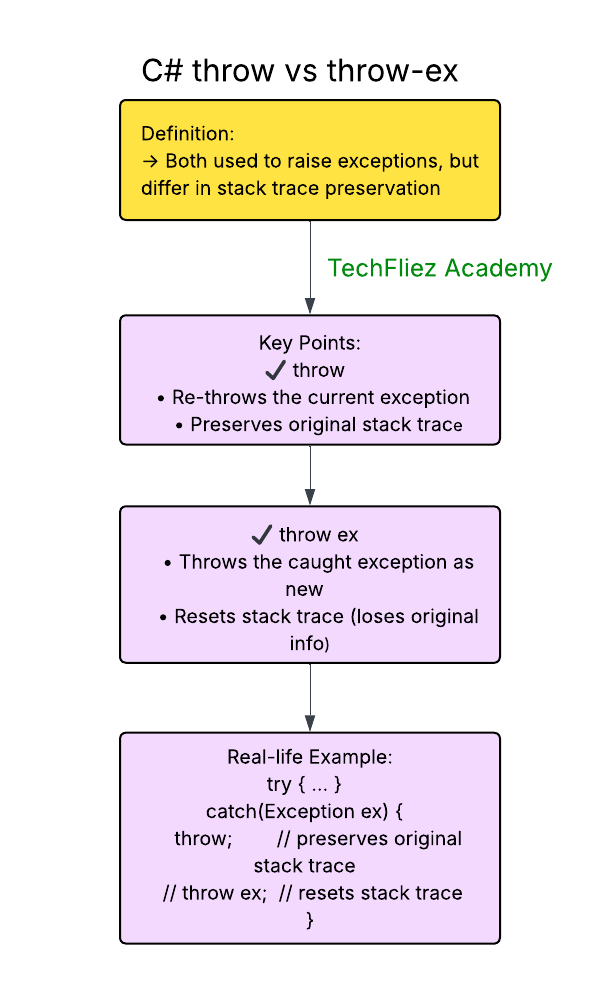
In C#, both throw and throw ex can be used to throw exceptions, but they are used in different contexts and have different behaviors, especially when it comes to preserving the original stack trace of the exception.
Using throw
The throw keyword is used to rethrow an exception that is currently being handled in a catch block, without modifying the original exception.
Example:
using System;

class MyProgram
{
    static void Main()
    {
        try
        {
            MyData();
        }
        catch (Exception ex)
        {
            Console.WriteLine("Caught in Main: " + ex.Message);
        }
    }

    static void MyData()
    {
        try
        {
            Console.WriteLine("Inside MyData method.");
            throw new InvalidOperationException("Something went wrong in MyData!");
        }
        catch (Exception ex)
        {
            Console.WriteLine("Caught in MyData: " + ex.Message);
            throw;  // Re-throws the exception, keeping the original stack trace
        }
    }
}
Output:
Caught in MyData: Something went wrong in MyData!
Caught in Main: Something went wrong in MyData!
Explanation:
- When the exception is thrown inside MyData(), the exception’s stack trace points to the location where the exception occurred.
- When we catch the exception in the catch block of MyData, we can use throw; to rethrow the same exception, preserving the original stack trace.
- The exception then continues to propagate to the outer catch block in Main().
Using throw ex
The throw ex syntax is used to rethrow the caught exception explicitly, but it resets the stack trace. This means that the original location where the exception occurred is lost, and the stack trace will now point to the location of the throw ex line instead.
Example:
using System;

class MyProgram
{
    static void Main()
    {
        try
        {
            MyData();
        }
        catch (Exception ex)
        {
            Console.WriteLine("Caught in Main: " + ex.Message);
        }
    }

    static void MyData()
    {
        try
        {
            // Simulate an exception
            Console.WriteLine("Inside MyData method.");
            throw new InvalidOperationException("Something went wrong in MyData!");
        }
        catch (Exception ex)
        {
            Console.WriteLine("Caught in MyData: " + ex.Message);
            throw ex;  // Rethrows the exception, but resets the stack trace
        }
    }
}
Output:
Caught in MyData: Something went wrong in MyData!
Caught in Main: Something went wrong in MyData!
Explanation:
- When the exception is thrown inside MyData(), the stack trace contains information about where the exception occurred.
- However, when we use throw ex; to rethrow the exception, it loses its original stack trace and the exception is thrown again, but the stack trace now points to where throw ex; was called, which is inside MyData().
C# throw vs throw-ex – Interview Questions
Q 1: What is throw in C#?
Q 2: What is throw ex?
Q 3: Which one preserves original error location?
Q 4: When should throw ex be avoided?
Q 5: Which is recommended best practice?
C# throw vs throw-ex – Objective Questions (MCQs)
Q1. What is the difference between throw; and throw ex; in C#?
Q2. Which statement should be used to rethrow the original exception?
Q3. What happens to the stack trace when using throw ex;?
Q4. When should you use throw; instead of throw ex;?
Q5. What is the main disadvantage of using throw ex;?