
When you want to setup the Angular then firstly check Nodejs should be installed. if it is not installed then install firstly through below command.
Step1
Note:- If you have already installed Nodejs then directly move to Step2.
1) sudo apt-get install curl
2) curl -sL https://deb.nodesource.com/setup_12.x | sudo -E bash –
Now, Install Nodejs
3) sudo apt-get install nodejs
After installed Nodejs, check the version
node -v
npm -v
Step2
Now, you will install Angular through the angular/CLI command.
npm install -g @angular/CLI
after installed, check the version
ng --version

Now,start to create the project
Syntax:-
ng new projectName
Example:- I am creating EmployeeManagement Project
ng new EmployeeManagement
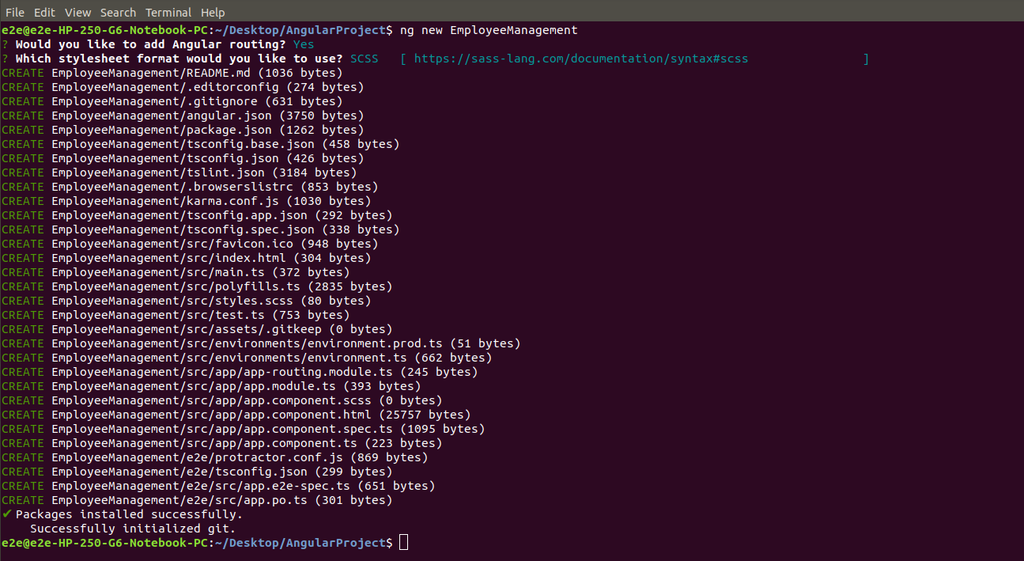
Now, goto the EmployeeManagement directory
cd EmployeeManagement
run the command
ng serve --open
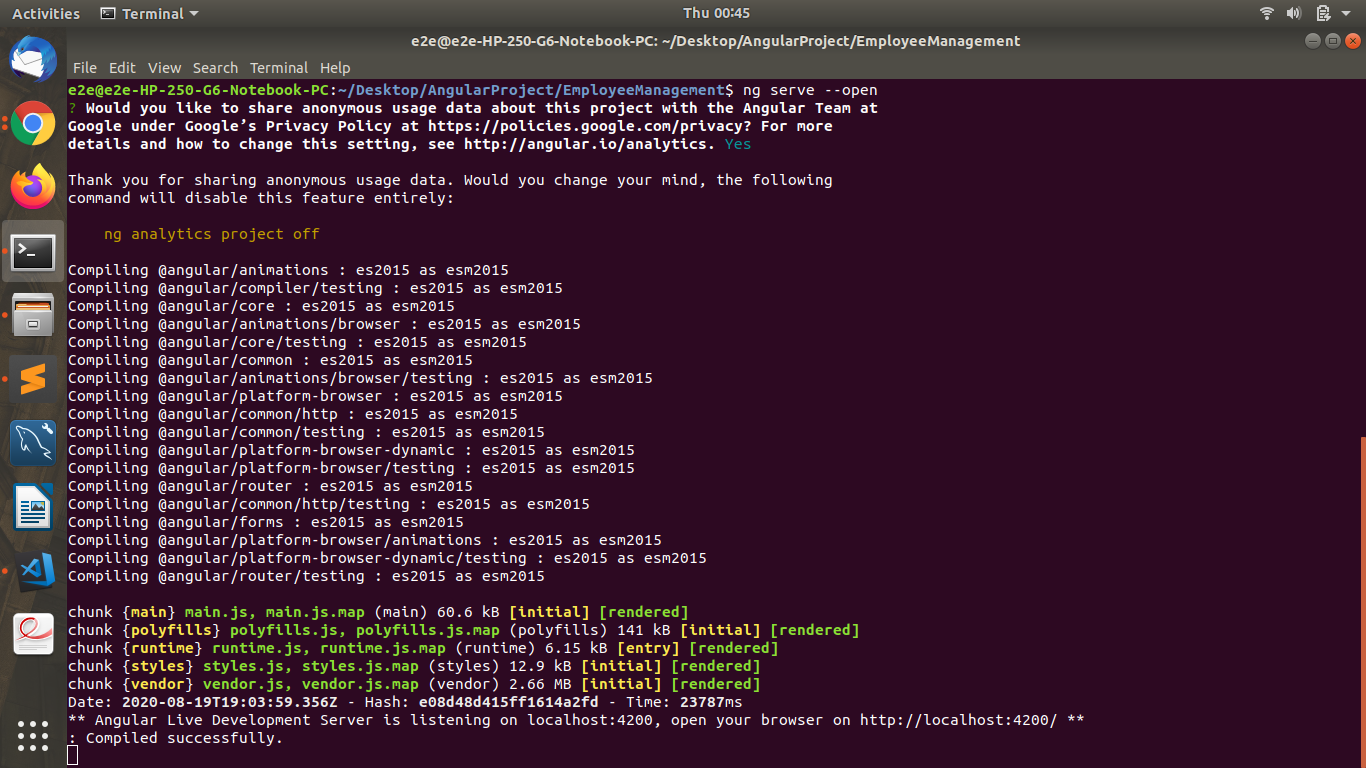
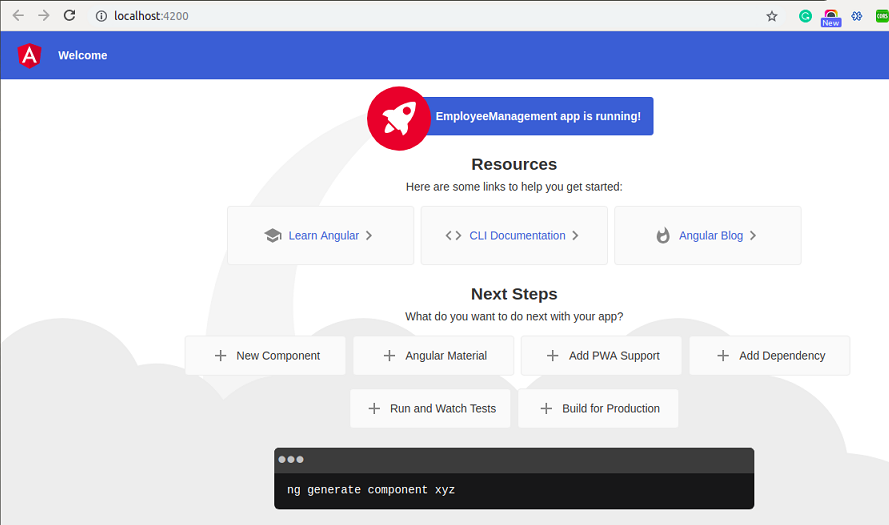
After compiled successfully, you can see the URL.
Angular Setup – Interview Questions
Q 1: What are the prerequisites for installing Angular?
Q 2: What is Angular CLI?
Q 3: How do you install Angular CLI?
Q 4: How do you create a new Angular project?
Q 5: How do you run an Angular application?
Angular Setup – Objective Questions (MCQs)
Q1. Command to install Angular CLI:
Q2. Command to create new Angular project:
Q3. Angular requires which runtime?
Q4. Command to run Angular app:
Q5. Default Angular port number is: