
Introduction
A JavaScript variable is a named container used to store data values. Without variables, it would be impossible to build meaningful applications. In JavaScript, variables allow developers to store values such as numbers, strings, objects, and more, which can later be used and manipulated in a program.
In this guide, you’ll learn everything about variables in JavaScript—from basics to advanced concepts—with examples, real-life use cases, common mistakes, and interview questions.
What are JavaScript Variables?
A variable in JavaScript is a container for storing data values. It acts like a labeled box where you can keep information and reuse it whenever needed.
JavaScript variable Syntax
(typeOfVariable) variableName = variableValue
Example:
let name = "John";
Here:
- let → keyword used to declare the variable
- name → variable name
- “John” → value stored in the variable
Why are Variables Used in JavaScript?
Variables are used because they make programs dynamic and flexible.
Important Uses:
- Store user input
- Perform calculations
- Manage application state
- Reuse data
- Improve code readability
Without variables, you would have to write the same values repeatedly, making the code inefficient and hard to manage.
How to Declare Variables in JavaScript
JavaScript provides three keywords to declare variables:
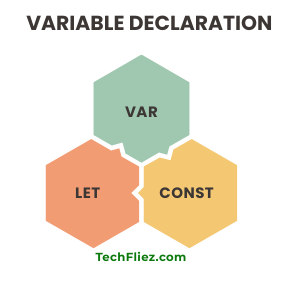
1. var Keyword
Example:
var age = 35;
Features:
- Function-scoped
- Can be redeclared
- Can be updated
Drawbacks:
- Can cause unexpected bugs due to scope issues
2. let Keyword
Example:
let city = "Delhi";
Features:
- Block-scoped
- Cannot be redeclared in the same scope
- Can be updated
3. const Keyword
Example:
const country = "India";
Features:
- Block-scoped
- Cannot be updated or redeclared
- Must be initialized during declaration
Difference Between var, let, and const
| Feature | var | let | const |
|---|---|---|---|
| Scope | Function | Block | Block |
| Redeclaration | Yes | No | No |
| Reassignment | Yes | Yes | No |
| Hoisting | Yes | Yes (TDZ) | Yes (TDZ) |
JavaScript Variable Naming Rules
When naming variables, follow these rules:
- Must start with a letter, _, or $
- Cannot start with a number
- Case-sensitive (name ≠ Name)
- Cannot use reserved keywords
- Use meaningful names
Examples:
let firstName = "John";
let _count = 10;
let $price = 100;
JavaScript Data Types in Variables
Variables can store different types of data.
Primitive Types:
- String
- Number
- Boolean
- Undefined
- Null
- BigInt
- Symbol
Example:
let name = "John";
let age = 35;
let isActive = true;
Dynamic Typing in JavaScript
JavaScript is dynamically typed, meaning you don’t need to declare the type explicitly.
Example:
let value = 10;
value = "Hello";
The same variable can hold different types of values.
Variable Scope in JavaScript
I will show you 3 variable scopes in JavaScript.
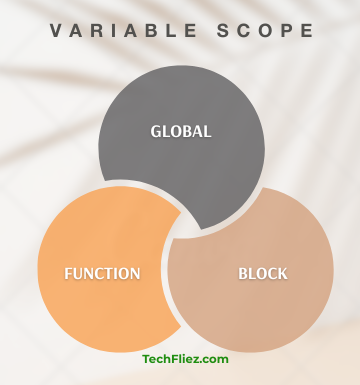
1. Global Scope
A variable declared outside a function becomes a global variable. A global variable has global scope: All scripts and functions on a web page can access it.
Example:
var name = "John";
function myFunction() {

  console.log(name)
}
2. Function Scope
Variables declared with var inside a function are accessible only within that function.
function test() {
   var x = 10;
}
3. Block Scope
Variables declared with let and const are limited to the block {}.
if (true) {
   let a = 20;
}
Hoisting in JavaScript Variables
Hoisting means variable declarations are moved to the top of their scope.
Example:
console.log(a); // undefined
var a = 10;
Note:
- var is hoisted but initialized as undefined.
- let and const are hoisted but not initialized (Temporal Dead Zone)
Practical Example
let price = 1000;
let discount = 10;
let finalPrice = price - (price * discount / 100);
console.log(finalPrice);
Common Mistakes in JavaScript Variables
You will see some common mistakes.
1. Using var instead of let/const
Can lead to scope-related bugs.
2. Not Initializing Variables
let x;
console.log(x); // undefined
3. Reassigning const Variables
const pi = 3.14;
pi = 3.1415; // Error
4. Variable Name Confusion
let data = 10;
let Data = 20; // different variables
5. Accessing Variables Outside Scope
if (true) {
   let x = 10;
}
console.log(x); // Error
JavaScript Variable – Interview Questions
Q 1: What is a variable?
Q 2: How do you create a variable?
Q 3: Can variable values change?
Q 4: Are variables case-sensitive?
Q 5: Can a variable start with a number?
JavaScript Variable – Objective Questions (MCQs)
Q1. Variables are used to ______.
Q2. Which keyword is used to declare a variable?
Q3. Variable names must start with ______.
Q4. Which is a valid variable name?
Q5. JavaScript variables are ______ typed.
Conclusion
JavaScript variables are a fundamental concept that every developer must understand. They allow you to store, manipulate, and manage data efficiently. By mastering var, let, and const, along with scope and best practices, you can write clean and efficient code.
As you continue learning JavaScript, variables will be used in almost every program you write. So, take time to practice and experiment with them.