
Introduction
In this tutorial, you will learn the concept of Callbacks. Let’s understand everything step by step in simple language. When a function is passed as an argument to another function is called a Callback function.
What is a Callback?
A callback is a function that is passed as an argument to another function and is executed later.
OR
A callback is a function inside another function.
Example:
function greet(name, callback) {
  console.log("Hi " + name);
  callback();
}
function sayBye() {
  console.log("Goodbye!");
}
greet("John", sayBye);
Output:
Goodbye!
Explanation:
1. sayBye is passed as a parameter.
2. It runs after greet() executes.
3. That makes sayBye a callback function.
Why Do We Need Callbacks?
There are many reasons to need callbacks
- When we don’t know when a task will finish.
- When we want something to happen after a task completes.
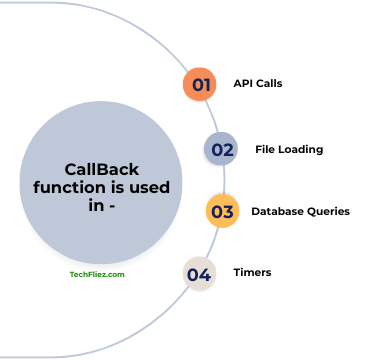
We use a callback in
- API calls
- File loading
- Database queries
- Timers
Real Life Example:
A callback is like telling a delivery person, “Call me when the food arrives,” so you can go about your business until the task is done.
Callback with setTimeout (Asynchronous Example)
Example:
console.log("Start");
setTimeout(function() {
  console.log("Task Completed");
}, 2000);
console.log("End");
Output:
End
Task Completed
Explanation:
- setTimeout runs in the background.
- The function inside it is a callback.
- It runs after 2 seconds.
Synchronous vs Asynchronous Callback
You will see Synchronous Callback and Asynchronous Callback example.
Synchronous Callback Example
In the example below, it runs immediately.
function calculate(a, b, callback) {
  let result = a + b;
  callback(result);
}
calculate(5, 3, function(res) {
  console.log(res);
});
Asynchronous Callback Example
In the example below, it runs later (after a delay or an event).
setTimeout(() => {
  console.log("Async Callback");
}, 1000);
Callback vs Normal Function
| Feature | Normal Function | Callback Function |
|---|---|---|
| Execution | Called directly | Passed to another function |
| Timing | Runs immediately | Runs after task completes |
| Usage | General logic | Async operations |
| Complexity | Simple | Can become complex |
Real-Life Callbacks Example (Food Delivery App)
Suppose you order food from a food delivery app, then the process happens step by step:
- Firstly, you place the order.
- The restaurant prepares the food.
- The delivery partner picks it up.
- The food is delivered to your home.
Example:
function prepareFood(callback) {
    console.log("Preparing food...");

    setTimeout(function() {
        console.log("Food is ready!");
        callback(); // Call the next step
    }, 2000);
}

function deliverFood() {
    console.log("Food delivered to your home.");
}

// Passing deliverFood as callback
prepareFood(deliverFood);
Output:
Food is ready!
Food delivered to your home.
Explanation:
- prepareFood() simulates food preparation.
- setTimeout() represents a delay.
- Once the food is ready, the callback function (deliverFood) is executed.
- This ensures the delivery happens only after preparation is complete.
Interview Questions
Q 1: What is a callback function in JavaScript?
Q 2: Why are callbacks used in JavaScript?
Q 3: What is callback hell?
Q 4: How can callback hell be avoided?
Conclusion
The callback function is a JavaScript function, and it is used in asynchronous operations such as API requests, timers, and event handling.
When you access nested callbacks can lead to callback hell, making code harder to read and maintain. Modern JavaScript provides solutions like Promises and async/await to write cleaner asynchronous code.