
Introduction
In this tutorial, you will learn the concept of JavaScript Promises. Some asynchronous operations in JavaScript, such as API calls, file reading, or database requests, etc.
Earlier developers used callbacks to handle these operations, which often resulted in Callback Hell. To solve this problem, JavaScript introduced Promises.
What is a Promise in JavaScript?
A Promise is an object that handles asynchronous operations.
It can be
- Complete successfully.
- Fail with an error.
Why Use Promises?
Promises are used to handle several problems caused by callbacks.
Benefits of Promises
There are many benefits of Promises
- It is used to handle Cleaner code structure.
- It is used to avoid Callback Hell.
- It is better for error handling.
- It is easier to chain asynchronous tasks.
Promise States
A Promise has three states.
- Pending: The operation is still running.
- Fulfilled: The operation is completed successfully.
- Rejected: When the operation fails.
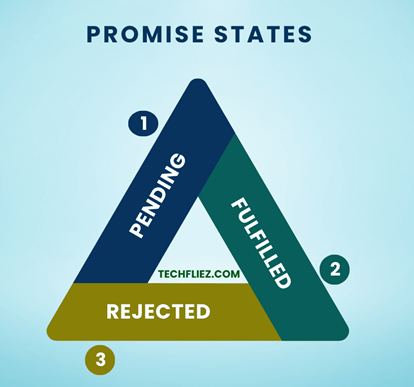
Flow of a Promise
   Pending
   |
   |------> Fulfilled
   |
   |------> Rejected
Creating a Promise in JavaScript
You can create a Promise using the Promise constructor.
Example
 const myPromise = new Promise(function(resolve, reject) {
    let success = true;
    if(success){
        resolve("Operation successful");
    } else {
        reject("Operation failed");
    }
});
resolve() → It is used to Promise fulfilled.
reject() → It is used to Promise rejected.
Using a Promise
We use .then() and .catch() to handle the result of a Promise.
Example:
myPromise
.then(function(result){
    console.log(result);
})
.catch(function(error){
    console.log(error);
});
Output:
Promise with Asynchronous Example
Promises are commonly used with asynchronous tasks like setTimeout.
function fetchData(){
    return new Promise(function(resolve){
        setTimeout(function(){
            resolve("Data loaded successfully");
        },2000);
    });
}

fetchData().then(function(result){
    console.log(result);
});
Output after 2 seconds:
What is Promise Chaining?
Promise Chaining means handling multiple asynchronous tasks in sequence.
Example:
function step1(){
    return Promise.resolve("Step 1 completed");
}
function step2(){
    return Promise.resolve("Step 2 completed");
}
step1()
.then(function(result){
    console.log(result);
    return step2();
})
.then(function(result){
    console.log(result);
});
Output:
Step 2 completed
How many promise methods do we have?
Basically, we have 3 methods for Promise.
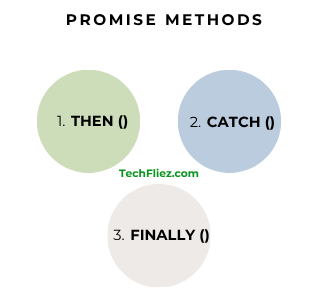
1. then()
It is used when a Promise is resolved.
Example:
promise.then(function(result){
   console.log(result);
});
2. catch()
It is used when a Promise is rejected.
Example:
promise.catch(function(error){
   console.log(error);
});
3. finally()
It runs whether the Promise succeeds or fails.
Example:
promise.finally(function(){
   console.log("Operation finished");
});
Promise vs Callback
| Feature | Callback | Promise |
|---|---|---|
| Code Readability | Low | Better |
| Error Handling | Difficult | Easier |
| Callback Hell | Possible | Avoided |
| Chaining | Difficult | Easy |
Real-Life Example of JavaScript Promises
Online Order Payment Verification
Suppose you place an order on an e-commerce website. After clicking Pay Now, the system needs to verify the payment with the payment server.
The payment process can have three possible results:
- Payment is successful
- Payment fails
- Payment is still processing
This behavior is similar to JavaScript Promises work.
- Resolved → Task completed successfully
- Rejected → Task failed
- Pending → Task still in progress
Example:
function verifyPayment() {
    return new Promise(function(resolve, reject) {
        console.log("Processing payment...");

        setTimeout(function() {
            let paymentSuccessful = true;

            if (paymentSuccessful) {
                resolve("Payment successful. Order confirmed.");
            } else {
                reject("Payment failed. Please try again.");
            }
        }, 2000);
    });
}

verifyPayment()
    .then(function(message) {
        console.log(message);
    })
    .catch(function(error) {
        console.log(error);
    });
Output:
Payment successful. Order confirmed.
Explanation:
- new Promise() creates a promise object.
- The promise performs an asynchronous task (payment verification).
- resolve() runs when the task succeeds.
- reject() runs when the task fails.
- .then() handles the successful result.
- .catch() handles errors.
Interview Questions
Q 1: What is a Promise in JavaScript?
Q 2: What are the three states of a Promise?
Q 3: What is the difference between .then() and .catch()?
Q 4: What problem do Promises solve?
Q 5: What is .finally() in Promises?
JavaScript Promises – Objective Questions (MCQs)
Q1. Promise represents a value that is ______.
Q2. Which states can a Promise have?
Q3. Which method handles successful Promise results?
Q4. Which method handles Promise errors?
Q5. Which method executes regardless of Promise result?
Conclusion
JavaScript Promises are used to handle asynchronous operations. Instead of nested callbacks, Promises allow developers to manage asynchronous tasks in a clean, structured, and readable way.
A Promise has 3 states. It can be pending, resolved, or rejected, and developers can handle these states using .then(), .catch(), and .finally(). Promises are used in real-world scenarios such as API calls, payment verification, file uploads, and database requests.