
Introduction
In this tutorial, you will learn the concept of the reduce() method. It is an array function, and it is used to transform an array into a single value.
It processes each element of the array and accumulates the result into one final output.
What is the JavaScript reduce() Method?
The JavaScript reduce() method executes a callback function on array elements and reduces the array into a single output value.
Syntax of reduce()
array.reduce(callback, initialValue);
Explanation:
callback => Function executed for each array element.
accumulator => Stores the result of the previous iteration.
currentValue => Current element being processed.
initialValue => Starting value of the accumulator.
Example 1: Sum of Numbers
One of the most common uses of reduce() is calculating the sum of an array.
Example:
const numbers = [10, 20, 30, 40];
const sum = numbers.reduce((acc, num) => acc + num, 0);
console.log(sum);
Output
Explanation:
| Step | Accumulator | Current Value | Result |
|---|---|---|---|
| 1 | 0 | 10 | 10 |
| 2 | 10 | 20 | 30 |
| 3 | 30 | 30 | 60 |
| 4 | 60 | 40 | 100 |
Example 2: Finding Maximum Value
const numbers = [5, 10, 2, 25, 8];
const max = numbers.reduce((acc, num) => {
  return num > acc ? num : acc;
});
console.log(max);
Output:
reduce() vs map() vs forEach()
| Method | Purpose | Return Value |
|---|---|---|
| map() | Transform array elements | New array |
| forEach() | Execute function on each element | Undefined |
| reduce() | Convert array into single value | Single result |
When to use the reduce() method?
There are many options to use the reduce() method
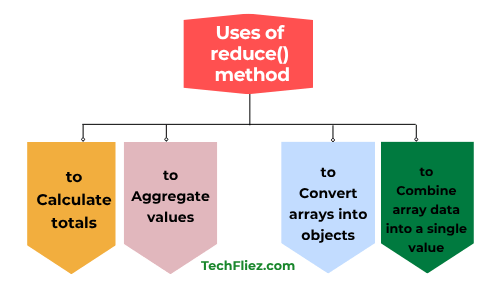
- Calculate totals
- Aggregate values
- Convert arrays into objects
- Combine array data into a single value
Example:
const prices = [100, 200, 300];
const total = prices.reduce((acc, price) => acc + price, 0);
console.log(total);
Common Mistake with reduce()
Many beginners forget to provide an initial value.
❌ Incorrect
array.reduce((acc, value) => acc + value);
✅ Correct
array.reduce((acc, value) => acc + value, 0);
Note: Providing an initial value prevents unexpected errors.
Real Life Example of reduce() in JavaScript
Shopping Cart Total Price
When you are working on E-Commerce App, and you are calculating the total price of items in a shopping cart, then we use reduce().
Example:
const cart = [
  { product: "Laptop", price: 60000 },
  { product: "Mouse", price: 1000 },
  { product: "Keyboard", price: 1500 },
  { product: "Headphones", price: 2500 }
];

const totalPrice = cart.reduce((total, item) => {
  return total + item.price;
}, 0);

console.log("Total Price:", totalPrice);
Output:
Explanation:
- total → Accumulator that stores the running total.
- item → Current object from the array.
- 0 → Initial value of the accumulator.
- reduce() loops through every item and adds the price to the total.
Other Real World Scenario
There are many Real World Scenario are:
- E-commerce websites
- Food delivery apps
- Online booking platforms
Interview Questions
Q 1: What is the reduce() method in JavaScript?
Q 2: What does the reduce() method return?
Q 3: What is an accumulator in reduce()?
Example:
const numbers = [1, 2, 3];
numbers.reduce((total, num) => total + num, 0);
Q 4: Is reduce() available for all arrays?
Conclusion
The reduce() method is an array function in JavaScript, and it is used to transform an entire array into a single value. It works by repeatedly applying a function to each element of the array while maintaining an accumulator.