
Introduction
In this tutorial, you will learn the concept of the JavaScript this keyword.
The this keyword in JavaScript refers to the current object.
OR
In simple words, this points to the object that calls the function.
Example:
const user = {
  name: "John",
  greet: function() {
    console.log(this.name);
  }
};
user.greet();
Output:
Note: In the above example, this refers to the user object.
Why this is Important in JavaScript?
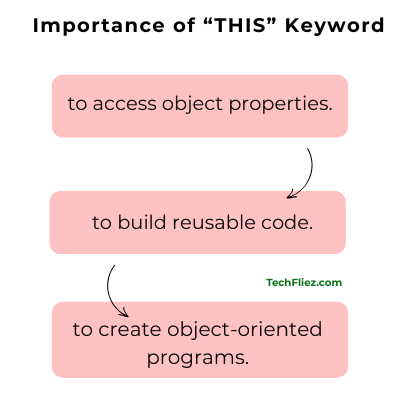
The this keyword is most important because:
1. It is used to access object properties.
2. It is used to build reusable code.
3. It is used to create object-oriented programs.
Note: Without this, working with objects and methods would be very difficult.
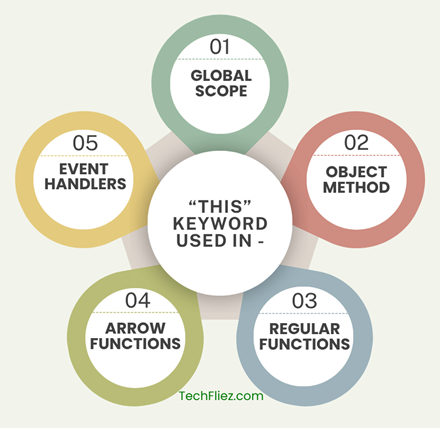
this Behavior Table
| Context | Value of this | Example |
|---|---|---|
| Global Scope | window object (browser) | console.log(this) |
| Inside Object Method | The object itself | obj.method() |
| Inside Regular Function | window or undefined (strict mode) | function test(){} |
| Arrow Function | Inherits from parent scope | () => {} |
| Event Handler | The HTML element | button.onclick |
1. this is used in Global Scope
In the browser, this refers to the window object.
console.log(this);
Output:
2. this is used inside an Object Method
When used inside an object method, this refers to the object that owns the method.
Example:
const car = {
  brand: "Tata",
  showBrand: function() {
    console.log(this.brand);
  }
};
car.showBrand();
Output:
3. this is used inside a Regular Function
In a normal function, this refers to:
1. window in non-strict mode.
2. undefined in strict mode.
Example:
function test() {
  console.log(this);
}
test();
4. this is used in Arrow Functions
Arrow functions do not have their own this. They inherit this from the parent scope.
Example:
const user = {
  name: "John",
  greet: () => {
    console.log(this.name);
  }
};
user.greet();
Output:
5. this is used in Event Handlers
In DOM events, this refers to the element that triggered the event.
Example:
document.querySelector("button").onclick = function() {
  console.log(this);
};
Note: Here, this refers to the button element.
What are the Common Mistakes with this
Using a normal function inside setTimeout
Example:
const obj = {
  name: "John",
  greet: function() {
    setTimeout(function() {
      console.log(this.name);
    }, 1000);
  }
};
obj.greet();
Output:
Why this error?
Inside setTimeout, the callback is a regular function, so its this refers to the global object (window in browsers), not obj.
this.name → window.name → undefined
Correct Fix: Using Arrow Function inside setTimeout
const obj = {
  name: "John",
  greet: function() {
    setTimeout(() => {
      console.log(this.name);
    }, 1000);
  }
};

obj.greet();
Output:
Real Life Example of JavaScript this
1. User Profile Example
Suppose, each user has their own profile information on the website. The this keyword helps access the properties of that specific object.
const user = {
  name: "John",
  age: 35,
  greet: function () {
    console.log("Hello, my name is " + this.name);
  }
};
user.greet();
Output:
Explanation:
- this.name refers to the name property of the user object.
- The this keyword allows the function to access the object’s own data.
2. Shopping Cart Example
const cart = {
  product: "Laptop",
  price: 60000,
  showDetails: function () {
    console.log(this.product + " costs ₹" + this.price);
  }
};

cart.showDetails();
Output:
Note: Here this.product and this.price refer to the cart object properties.
Interview Questions
Q 1: What is the this keyword in JavaScript?
Q 2: What does this refer to in the global scope?
Q 3: Why does this return undefined inside a normal callback?
Q 4: How can you fix this context issues?
Conclusion
The this keyword in JavaScript refers to the current object executing the function. It allows methods to access and manipulate the properties of the object they belong to.
If you are aware of this keyword, then you can build more dynamic applications, manage object data effectively, and avoid common bugs related to context.