
Introduction
In this tutorial, you will learn the concept of Loose vs Strict Equality. Sometimes developers are confused about the difference between == and ===.
Both operators compare values, but they behave very differently. Understanding the difference is important to avoid unexpected bugs in your code.
1. What is == in JavaScript?
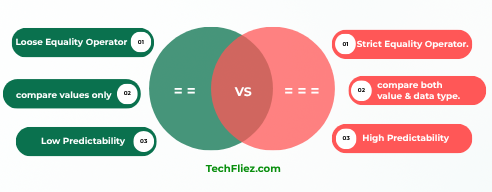
The == operator is called the Loose Equality Operator. It is used to compare values only.
Example:
console.log(5 == "5");
Output:
Explanation:
- “5” is a string
- 5 is a number
- JavaScript converts “5” into the number 5 before comparing.
So the result becomes:
5 == 5 → true
2. What is === in JavaScript?
The === operator is called the Strict Equality Operator. It is used to compare both value AND data type.
Note: No automatic type conversion happens.
Example:
console.log(5 === "5");
Output:
Explanation:
- Value is the same (5)
- Data types are different (number vs string)
So the result becomes:
number !== string → false
3. Key Differences Between == and ===
| Feature | == (Loose Equality) | === (Strict Equality) |
|---|---|---|
| Type conversion | Yes | No |
| Compares value | Yes | Yes |
| Compares data type | No | Yes |
| Recommended usage | Avoid mostly | Recommended |
| Predictability | Low | High |
4. More Examples
Example 1
console.log(false == 0);
Output:
Note: Because JavaScript converts false → 0.
Example 2
console.log(false === 0);
Output:
Explanation:
In the above example, it has Different data types: boolean and number
Example 3:
console.log(null == undefined);
Output:
Example 4:
console.log(null === undefined);
Output:
5. When Should You Use ===?
Mostly developers recommend always using ===.
There are many reasons to use ===
1. No hidden type conversion
2. More predictable results
3. Prevents unexpected bugs
4. Cleaner code
Note: modern frameworks like React, Angular, and Vue.js encourage strict equality.
6. Quick Rule to Remember
== → compares value only (type conversion happens).
=== → compares value + type (no conversion).
Example:
5 == "5"   → true
5 === "5"  → false
7. Real Life Example of == vs === in JavaScript
1. User Login Form Example
Suppose a user enters a PIN into a login form.
let savedPin = 12345;     // number
let enteredPin = "12345"; // string

if (savedPin == enteredPin) {
  console.log("Login Successful");
}
Output:
Explanation:
Because == converts the string “12345” into the number 12345 before comparison.
Now using strict equality:
let savedPin = 12345;     // number
let enteredPin = "12345"; // string

if (savedPin === enteredPin) {
  console.log("Login Successful");
} else {
  console.log("Invalid PIN Type");
}
Output:
Note: === checks both value and data type.
2. Form Input Validation
HTML form inputs usually return strings.
let age = 18;
let inputAge = "18";

console.log(age == inputAge);  // true
console.log(age === inputAge); // false
Note: If you use ===, you must convert the value:
if (age === Number(inputAge)) {
  console.log("Age Verified");
}
Interview Questions
Q 1: What will be the output?
console.log(5 == "5");
A. true B. false
Q 2: What will be the output?
console.log(5 === "5");
A. true B. false
Q 3: What will be the output?
console.log(false == 0);
A. true B. false
Because false becomes 0.
Q 4: What will be the output?
console.log(false === 0);
A. true B. false
Different data types.
Q 5: What will be the output?
console.log(null == undefined);
A. true B. false
Q 6: What will be the output?
console.log(null === undefined);
A. true B. false
Conclusion
In JavaScript, both == and === are used to compare values, but they behave differently.
== is called Loose Equality because it automatically converts data types before comparison.
=== is called Strict Equality because it checks both value and data type without conversion.
In modern JavaScript most developers prefer using === (strict equality).