
In this tutorial, you will clear the concept of why async/await might not work and how to fix it.
Introduction
async/await is used to handle asynchronous JavaScript code, and it is easier to read and write.
Sometimes developers face situations where async/await does not work as expected.
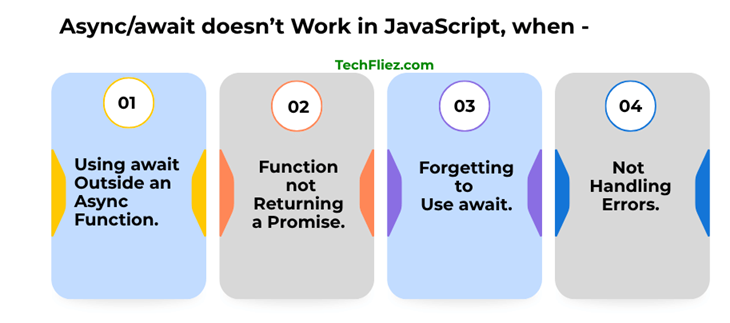
1. Using await Outside an Async Function
Sometimes, developers use await without declaring the function as async. This is the most common mistake.
❌ Incorrect Code
function getData() {
  const response = await fetch("https://api.example.com/data");
  console.log(response);
}
Error:
✅ Correct Code
async function getData() {
  const response = await fetch("https://api.example.com/data");
  console.log(response);
}
2. Function Not Returning a Promise
await only works with Promises. If a function does not return a Promise, await may not behave as expected.
❌ Incorrect Code
function getNumber() {
  return 10;
}
async function test() {
  const result = await getNumber();
  console.log(result);
}
✅ Correct Way
function getNumber() {
  return Promise.resolve(10);
}
3. Forgetting to Use await
Sometimes developers forget to use await, which causes the function to return a Promise instead of the resolved value.
❌ Incorrect
async function getData() {
  const data = fetch("https://api.example.com");
  console.log(data);
}
Output:
✅ Correct
async function getData() {
  const data = await fetch("https://api.example.com");
  console.log(data);
}
4. Not Handling Errors
If an error occurs in an async function and you do not handle it, the function may fail.
❌ Incorrect
async function getData() {
  const response = await fetch("wrong-url");
  console.log(response);
}
✅ Fix Using try/catch
async function getData() {
  try {
    const response = await fetch("wrong-url");
    console.log(response);
  } catch (error) {
    console.error(error);
  }
}
Common Async/Await Mistakes Table
| Problem | Reason | Solution |
|---|---|---|
| await outside async | Function not declared async | Add async keyword |
| No Promise returned | Function returns normal value | Return a Promise |
| Promise printed | Missing await | Use await |
| Unhandled errors | No error handling | Use try…catch |
| Old environment | Browser or Node version outdated | Upgrade environment |
Interview Questions
Q 1: Why is await not working in my JavaScript code?
// ❌ Wrong
function test() {
 let data = await fetchData();
}

// ✅ Correct
async function test() {
 let data = await fetchData();
}
Q 2: Why does async/await still return a Promise?
async function demo() {
 return 10;
}
console.log(demo()); // Promise {10}
Q 3: Why is my await not waiting for the result?
function getData() {
 return "Hello"; // Not a Promise
}

async function test() {
 let result = await getData();
 console.log(result); // Works but no waiting
}
Q 4: Why am I getting Unexpected reserved word await error?
Q 5: Why is my code running before async function completes?
async function test() {
 let data = await fetchData();
 console.log(data);
}
test();
console.log("Done"); // Runs before data
Conclusion
async/await makes asynchronous code easier to read and write, but it can fail if not used correctly. Most issues happen due to:
- Using await outside an async function
- Not returning a Promise
- Missing return statement
- Improper error handling
- Using it incorrectly inside loops